
Desktop
A genuine additional display
Move an ordinary Mac window onto the extend2Duo desktop instead of mirroring the main display.
extend2Duo creates an additional Mac desktop and displays it on a paired iPhone over your local network.
Install the iPhone app and the free Mac companion, approve the pairing, then move a Mac window onto the additional display. Your Mac keyboard and mouse stay in control.
iOS 27 or later / macOS 27 or later / Local network / Free Mac companion
The Connect screen finds nearby Macs and supports QR or manual pairing.
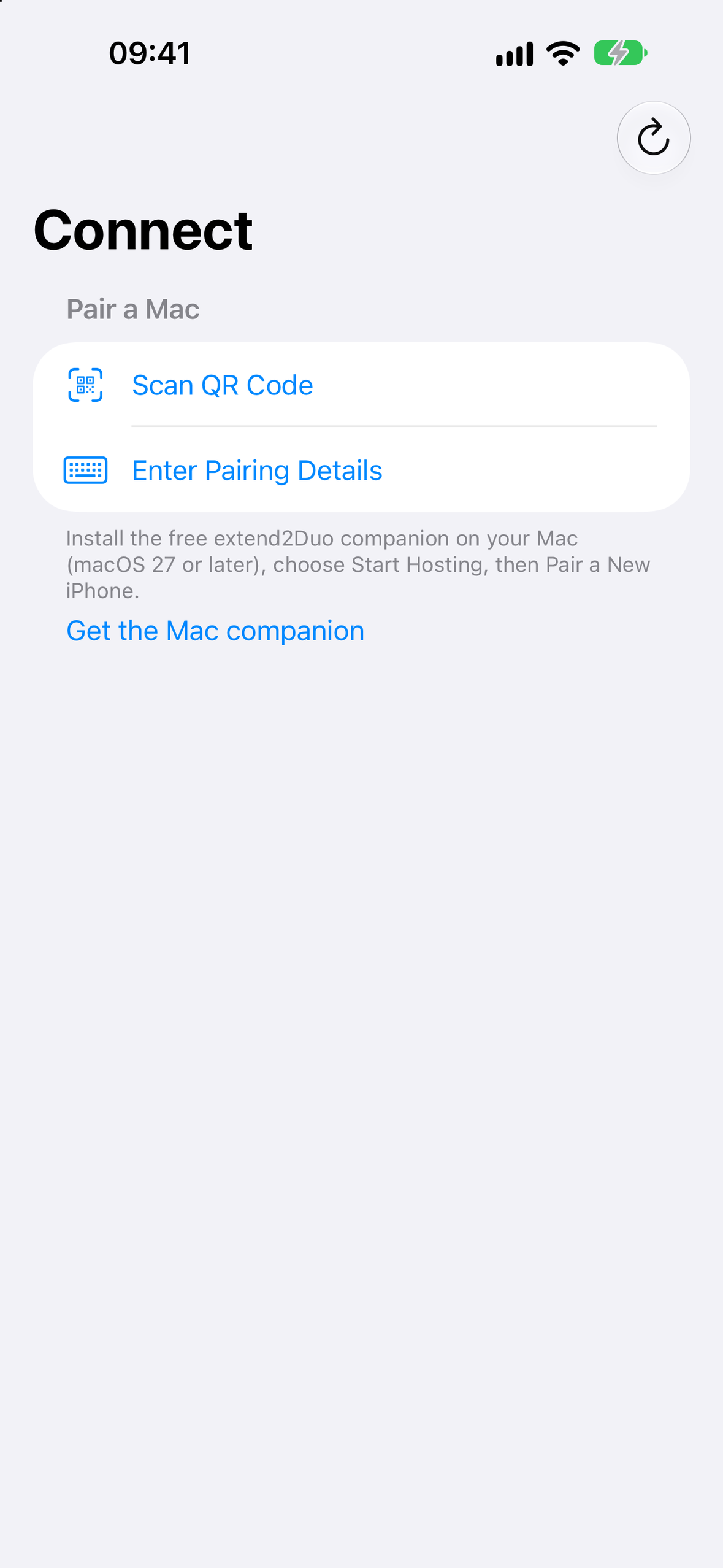
Scan the pairing code shown on the Mac, or enter the pairing details manually.
A reference page, document or work window can sit on the iPhone while the main Mac display stays clear.
The additional desktop is created by the Mac companion. The iPhone receives its picture and does not replace the Mac keyboard or mouse.
The screen stream travels directly between the paired Mac and iPhone over an encrypted local-network connection.
There is no extend2Duo account and no developer cloud screen-storage service.
Release 1 focuses on a view-only second screen controlled from the Mac.
Move an ordinary Mac window onto the extend2Duo desktop instead of mirroring the main display.
Scan the code shown by the Mac companion or enter its pairing details.
Keep the desktop dimensions stable through display changes, or use Match screen to adapt to the iPhone viewport.
Zoom the received desktop picture on the iPhone when you need a closer view.
Input stays on the Mac. Release 1 does not send touch or keyboard input from the iPhone.
Release 1 carries the desktop picture, not Mac audio.
A compact second view for work that benefits from keeping one more window visible.
Place a document or reference page on the iPhone while working on the Mac.
Move a supporting window away from the primary Mac desktop.
Both devices need to be on the same local network and able to communicate.
Open the free companion on a Mac running macOS 27 or later and start hosting.
Scan the QR code or enter the pairing details in the iPhone app.
Confirm the iPhone before the saved pairing is created.
Drag a Mac window onto the additional extend2Duo display and keep using the Mac keyboard and mouse.
Still stuck? Support is email-first and answered by the people who built it.
It creates an additional desktop on a compatible Mac and displays that desktop on a paired iPhone over the local network.
You need an iPhone running iOS 27 or later, a Mac running macOS 27 or later, the free Mac companion and a local network that lets the devices communicate.
No. Release 1 is a view-only receiver. Use the Mac keyboard and mouse to control windows on the additional desktop.
No. Release 1 carries the desktop picture only.
No. The desktop picture travels directly between the paired devices over an encrypted local-network connection. Polyphasic Developers does not operate a screen-storage server for extend2Duo.
Yes. The Mac companion creates and captures the additional desktop, while the iPhone app receives and displays it.
Use of extend2Duo is covered by the Polyphasic Developers Terms of Service and Apple’s applicable App Store terms.
The free Mac companion is available below for macOS 27 or later. Version 1.0 is signed and notarized by Apple. The iPhone app is awaiting App Store availability. Both apps are required to use the second screen.
Download Mac companion Not currently on the App Store