Hidden queues
Jobs and failures sit in separate tools, so important changes are noticed late.
AI agents become difficult to run long before they become difficult to build. Polyphasic Developers designs the control layer around them: one place for jobs, approvals, conversations, files, failures and human hand-offs, fitted to the tools your team already uses.
Last updated 22 November 2026
Different agents and harnesses may each be useful, but their queues, conversations and controls rarely form one coherent system. That leaves people checking several places to understand what is running, blocked, waiting for a decision or already finished.
Jobs and failures sit in separate tools, so important changes are noticed late.
Human control exists in theory, but the decision is detached from the context needed to make it well.
Files, logs, voice notes and completed work are difficult to retrieve, particularly away from a desk.
Specialist tools solve different jobs, but staff must learn and monitor each one separately.
An AI agent operations cockpit is a shared interface for operating several agents and harnesses. It can show live state, bring approvals into context, route conversations, surface failures and make the resulting files and logs easier to find.
It is designed around the organisation's actual workflows, access boundaries and human responsibilities. The aim is not to hide judgement. It is to put the right decision in front of the right person.
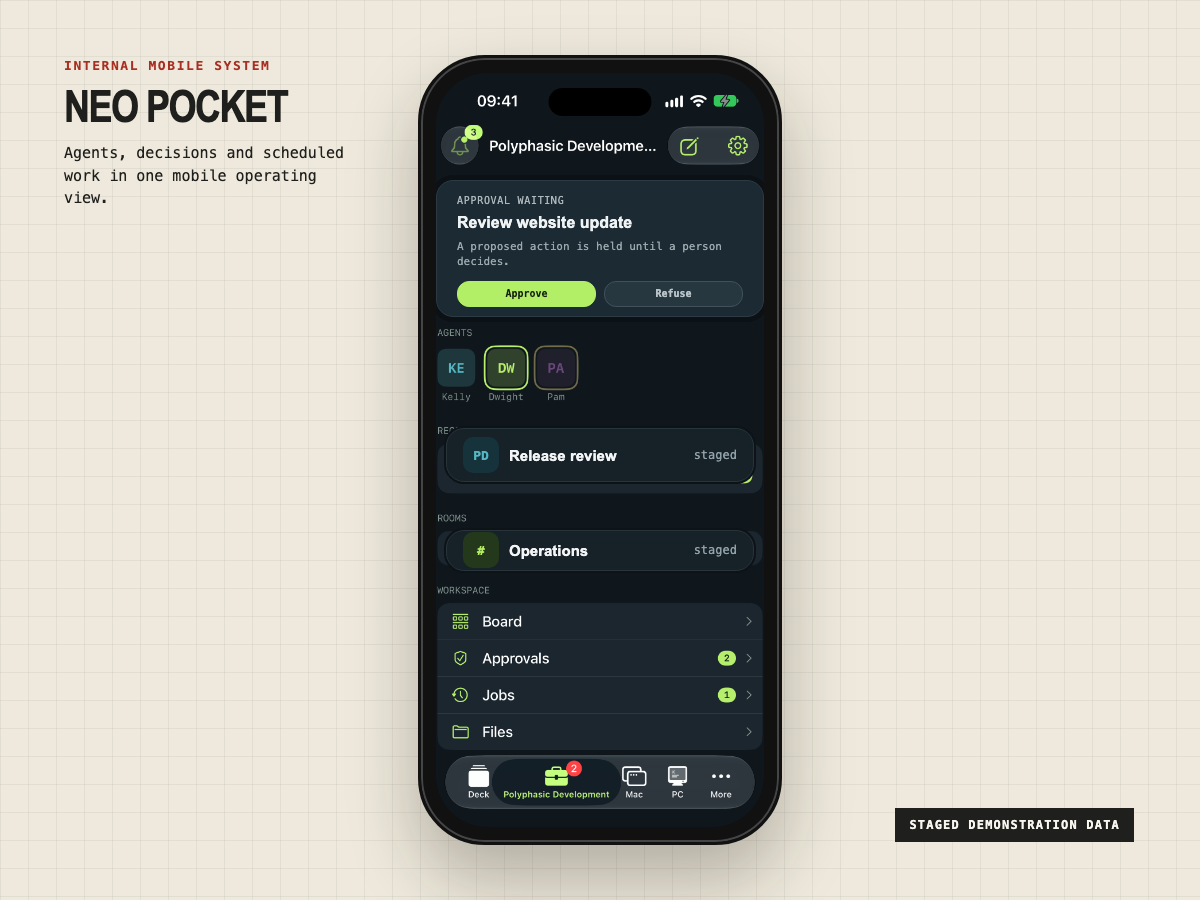
Neo Pocket and Neo Deck are personal internal tools in daily use at Polyphasic Developers. They are not boxed products for sale. They are proof that one operating model can connect business agents, coding agents, jobs, approvals, conversations, files, boards and remote machines across Mac and iPhone.
The service is the design and integration work needed to build the right operating layer around a buyer's own tools. A client system would not be a copy of Neo.
One mobile place for PD's business agents, coding agents, approvals, jobs, board, files, search and connected Mac and PC screens.
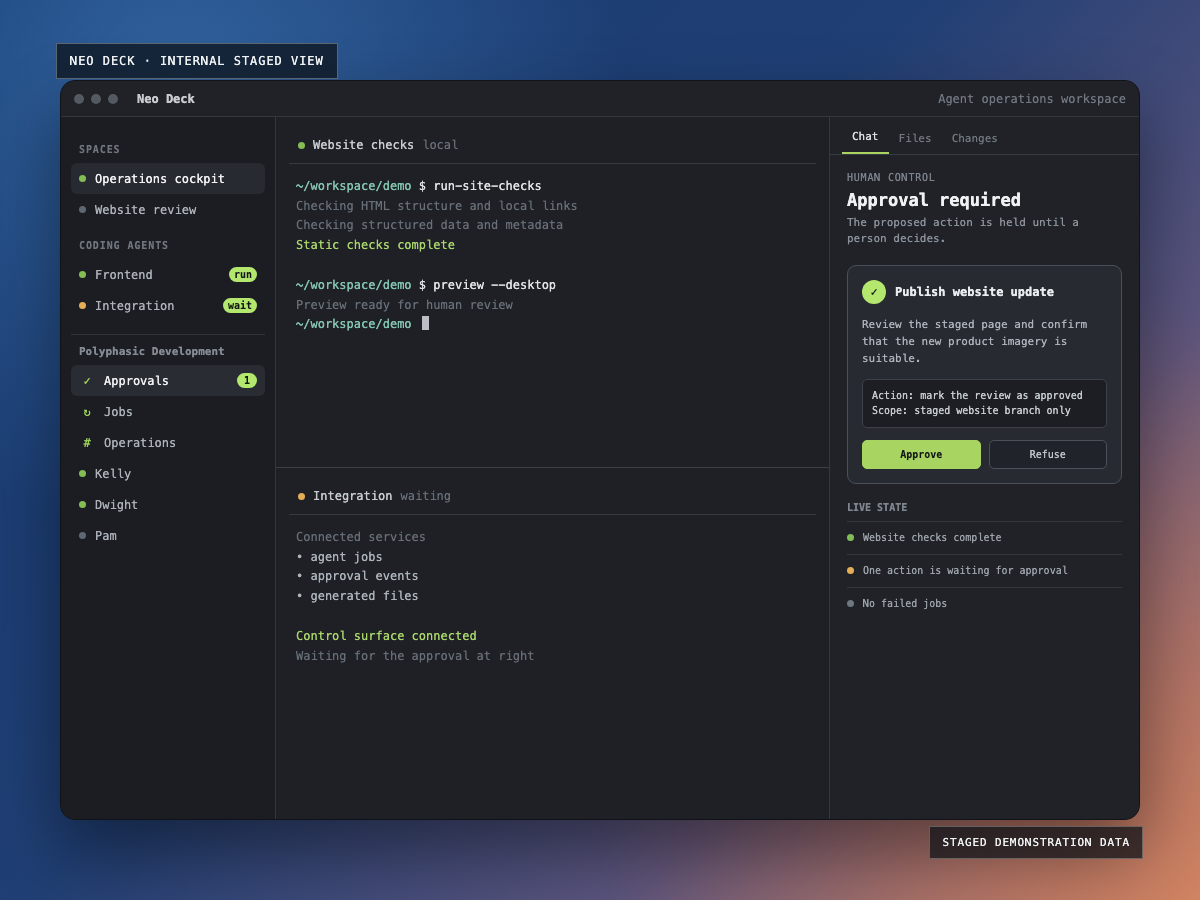
A Mac workspace combining terminals and coding agents with PD's agent sidebar, conversations, live status, approvals, failures, notifications and unread state.
The scope depends on the systems already in use and the decisions people need to make. It may be a focused internal dashboard, a mobile interface or a wider bespoke software and AI integration project.
Document the agents, harnesses, scheduled work, data paths, users and approval boundaries that already exist.
Connect suitable APIs, events and services so useful state and actions can move between existing systems.
Design a web, desktop or mobile interface around the views and actions each role needs.
Make proposed actions, relevant context and clear approve or refuse controls visible to the responsible person.
Surface failures, blocked work and important decisions, with a history people can inspect later.
Test operating paths and failure states, document the system and hand over a maintainable implementation.
There is no standard package because the value lies in fitting the control layer to the systems and responsibilities already present.
Identify the agents, harnesses, jobs, people, decisions, data paths and failure states that matter.
Agree what should be visible, what can be acted on and where human approval must remain explicit.
Deliver the smallest useful operating surface, connect the required systems and test real workflows and exceptions.
Document the system, support adoption and refine the cockpit as the team's operating model develops.
It is a shared control surface for the agents and coding harnesses a team already uses. It can bring jobs, approvals, conversations, files, failures and human hand-offs into one operating view.
Yes, when those tools expose suitable APIs, events or other integration points. Discovery maps the available connections, access boundaries and gaps before the control surface is designed.
No. The cockpit sits around useful existing tools. It provides a coherent way to see and operate them without pretending one interface should replace every specialist system.
Approval steps are designed around the actions, people and context that matter. A reviewer should be able to see what is proposed, understand the relevant context and approve or refuse it deliberately.
Mobile access can be part of the design where it suits the work. PD uses an internal mobile cockpit for agents, jobs, approvals, files, boards and remote machines, but each client system is designed around its own workflows and access requirements.
An existing dashboard is better when one product already covers the required tools, controls and workflows. Custom software becomes useful when several systems need to work together, approval paths are specific or staff need one tailored operating surface.
Show us the agents, harnesses, queues and approval paths your team is trying to manage. We can work out whether a focused integration, an existing dashboard or a bespoke cockpit is the right next step.