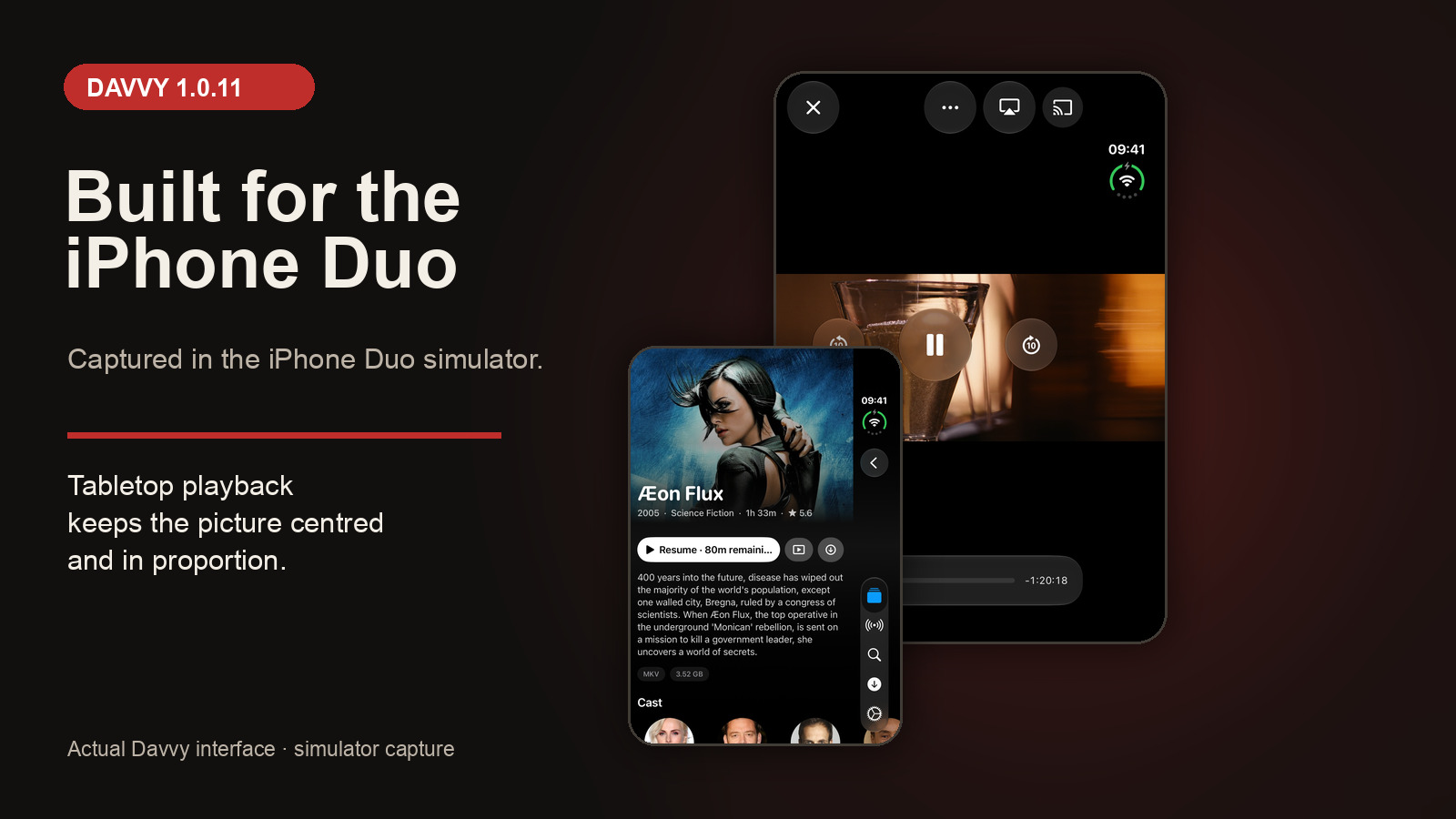
Davvy 1.0.11 uses the whole iPhone Duo inner display. Prop the phone up like a laptop and the picture sits on the upright half, centred at its true shape, while large playback controls fill the half lying flat.
Published 9 November 2026Last updated 9 November 20264 minute readRelease notes
Actual Davvy screens captured in the iPhone Duo simulator.
Release summary: Davvy 1.0.11 is made for iPhone Duo. The app uses the whole inner display, then separates the picture and playback controls when the phone is propped up like a laptop. The update is available from the App Store.
A folding display should change more than the amount of glass available. Davvy 1.0.11 treats iPhone Duo as a screen with two useful working areas rather than stretching the ordinary phone layout and calling the job done.
Open the inner display and Davvy uses all of it. Put the phone into its laptop-like position and the layout changes with it. The video stays where it is easy to see, while the controls move to the surface within reach.
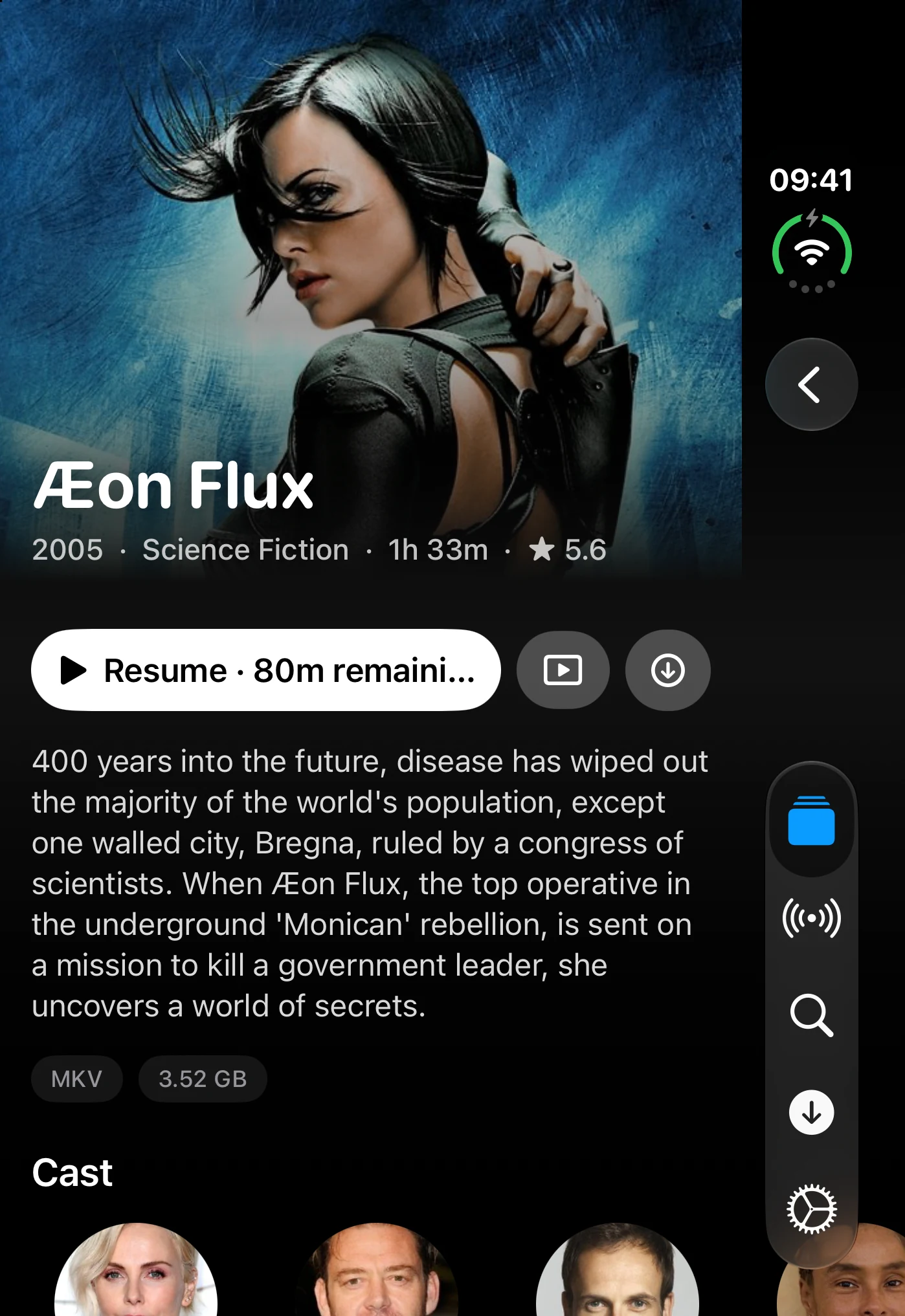
The media detail screen on the iPhone Duo inner display.
Use the whole iPhone Duo inner display
Davvy now fills the inner display on iPhone Duo. That gives your own films and television more room than the outer phone screen, without leaving the app boxed into a layout made for a conventional iPhone.
The useful part is not simply that the display is larger. Davvy responds to how the device is being used. Fully open it when you want the whole inner display. Prop it up when you want the phone to support itself while you watch.
There is nothing separate to switch on inside Davvy. Update the app, open a video and use the device in the position that suits where you have put it.
Put the picture on the upright half
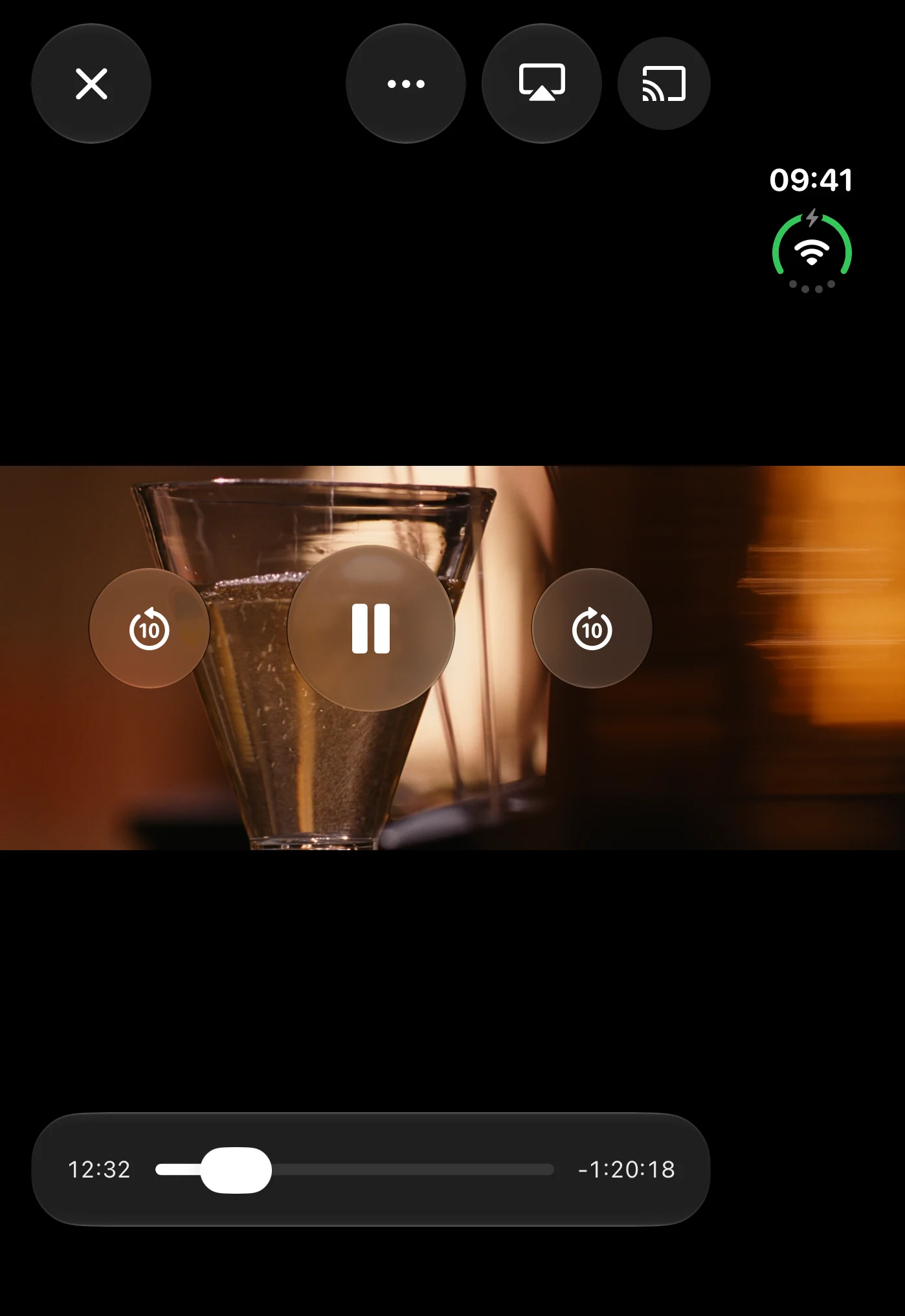
When iPhone Duo is propped up like a laptop, Davvy places the picture on the upright half. It is centred and kept at its true shape rather than being stretched to fill a space that does not match the video.
That matters because a fold changes the usable shape of the display. Filling every last pixel would be a poor bargain if it distorted the film. Davvy uses the upright half as the viewing area and keeps the picture correctly proportioned.
The result is a simple viewing position for a desk, table or other flat surface. The phone supports the screen, the video faces you, and the lower half remains available for the part of the player you need to touch.
The tabletop player, captured in the simulator with its controls held on screen.
Keep large playback controls on the flat half
The half lying flat becomes the control surface. Davvy puts large playback controls there, separating what you watch from what you press.
This avoids laying controls over the picture when the device already has another suitable place for them. It also puts those controls on the horizontal half, close to your hands, rather than asking you to reach up and cover part of the video.
It is a small distinction with a practical effect. The upright half is for watching. The flat half is for controlling playback. Each part of the display gets one clear job.
Prop the phone up like a laptop. Davvy centres the picture on the upright half and places the large playback controls on the half lying flat.
Davvy 1.0.11 follows version 1.0.10, which added synced wishlists, Home shelf controls and new playback speed options. New to the app? Explore Davvy before downloading it.
Davvy 1.0.11 questions
What changed in Davvy 1.0.11?
Davvy is now made for iPhone Duo. It uses the whole inner display and adapts when you prop the phone up like a laptop.
How does Davvy use the laptop-like position?
The picture sits on the upright half, centred at its true shape. Large playback controls use the half lying flat.
Where can I get Davvy 1.0.11?
Get the update from the App Store. Automatic updates may already have installed it.
Davvy
Your own videos, fitted to iPhone Duo.
Use the whole inner display, or prop the phone up and keep the picture above the controls.