Davvy app icon
Davvy · iPhone, iPad, Mac and Apple TV

Your films. Your server. Every screen.

Davvy is a native Apple-platform player for the movies and TV shows already sitting on your own WebDAV server. It turns a folder of files into a proper library — posters, descriptions, episodes, continue watching — without moving a single byte anywhere else.

Point it at your NAS once. Then watch on the iPhone, carry on from the same second on the Apple TV, and let it find the fastest way home whether you are on the sofa or on a train.

Coming soon to the App Store · Free at launch, no subscription · Built in Lincoln, UK

WebDAV / iPhone & iPad / Mac / Apple TV / TMDb artwork / AirPlay & Chromecast

The idea

The files are already fine. It's the app that was missing.

If you keep your own media, you have probably been told the answer is a media server: index the library, transcode on demand, run a service, keep it patched. That is a lot of machinery to sit between you and a file you already own.

Davvy takes the other route. Your server just serves files over WebDAV — something a Synology, a Nextcloud or three lines of nginx already does. Everything else happens in the app, on the device in your hand.

“No index to rebuild, no daemon to babysit. Your server holds the files; Davvy does the watching.”

Davvy, by Polyphasic Developers

Features

A real library, built from your own folders.

Everything below runs against your own server, on iPhone, iPad, Mac and Apple TV.

Browse and play

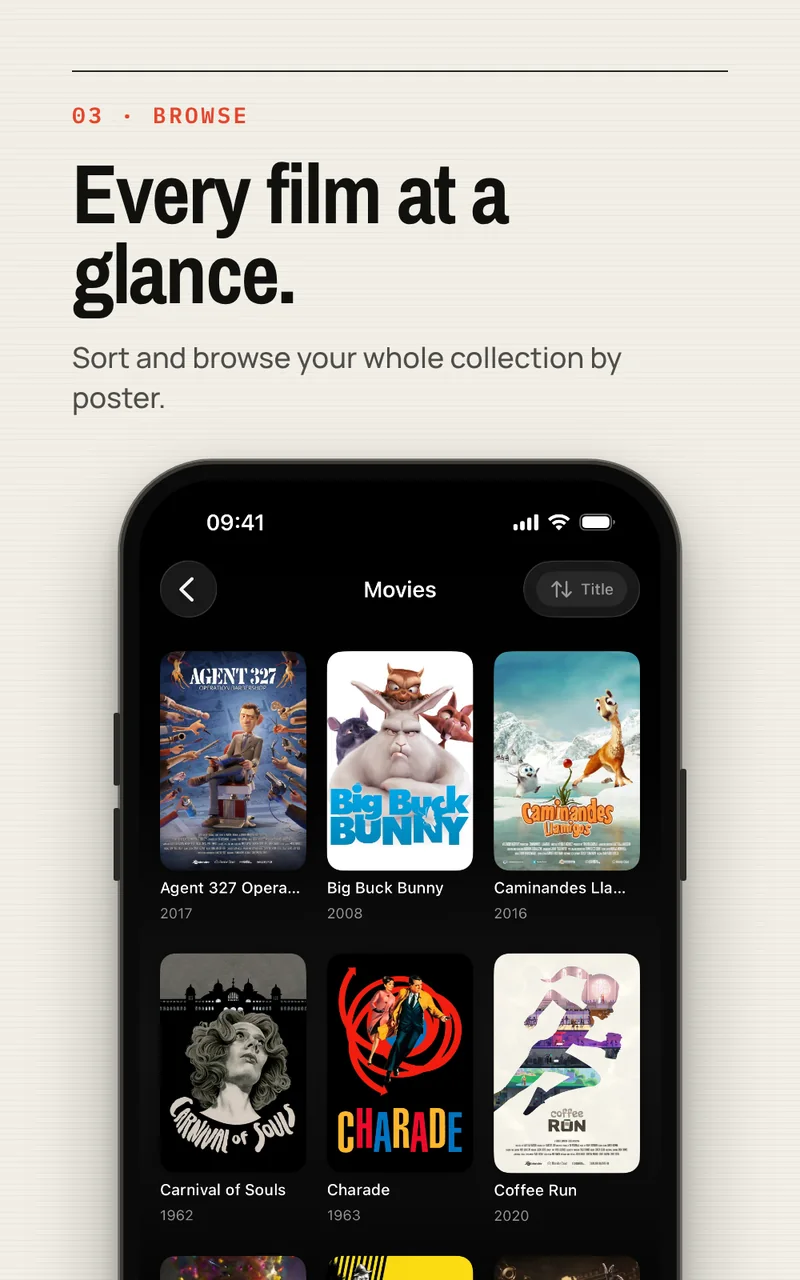
Films and shows, not a file listing.

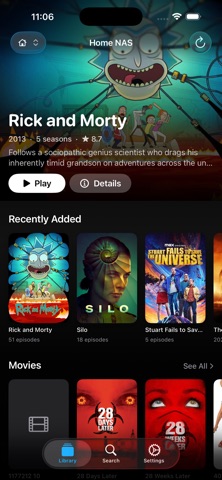
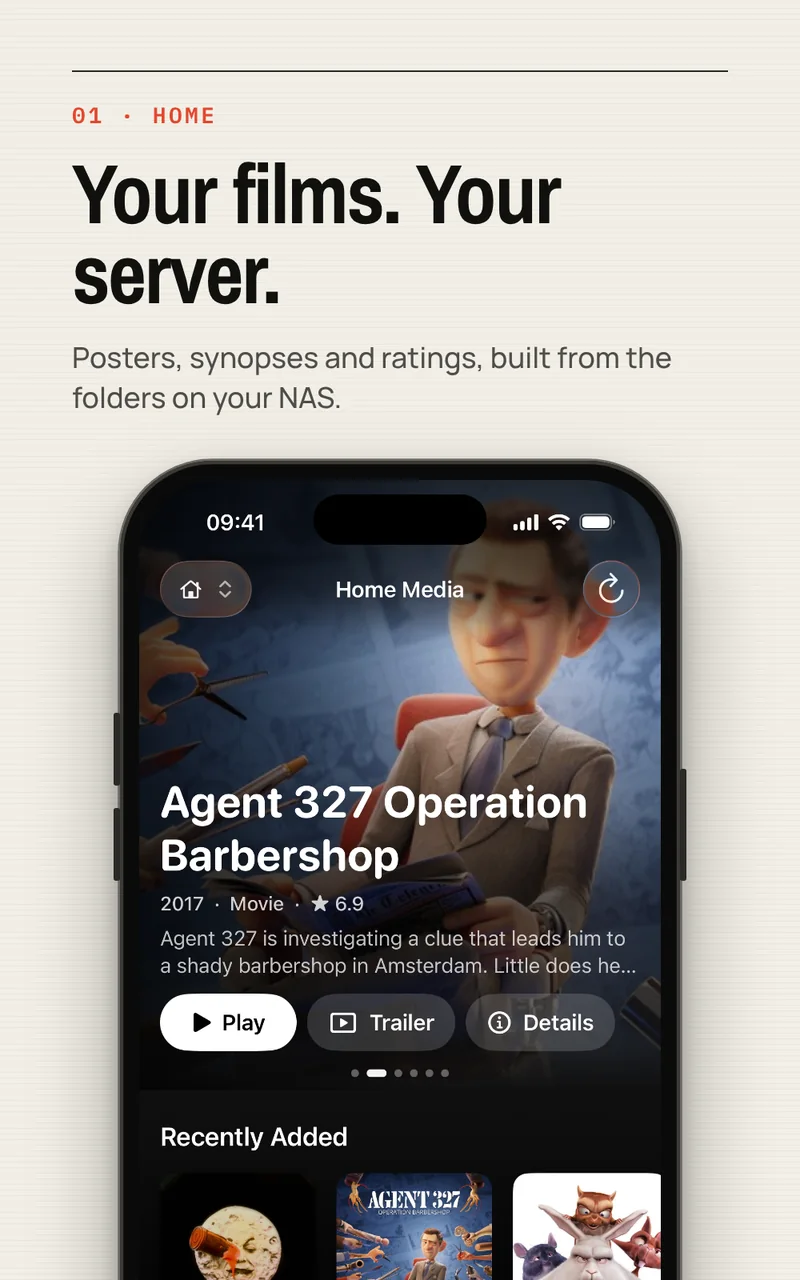
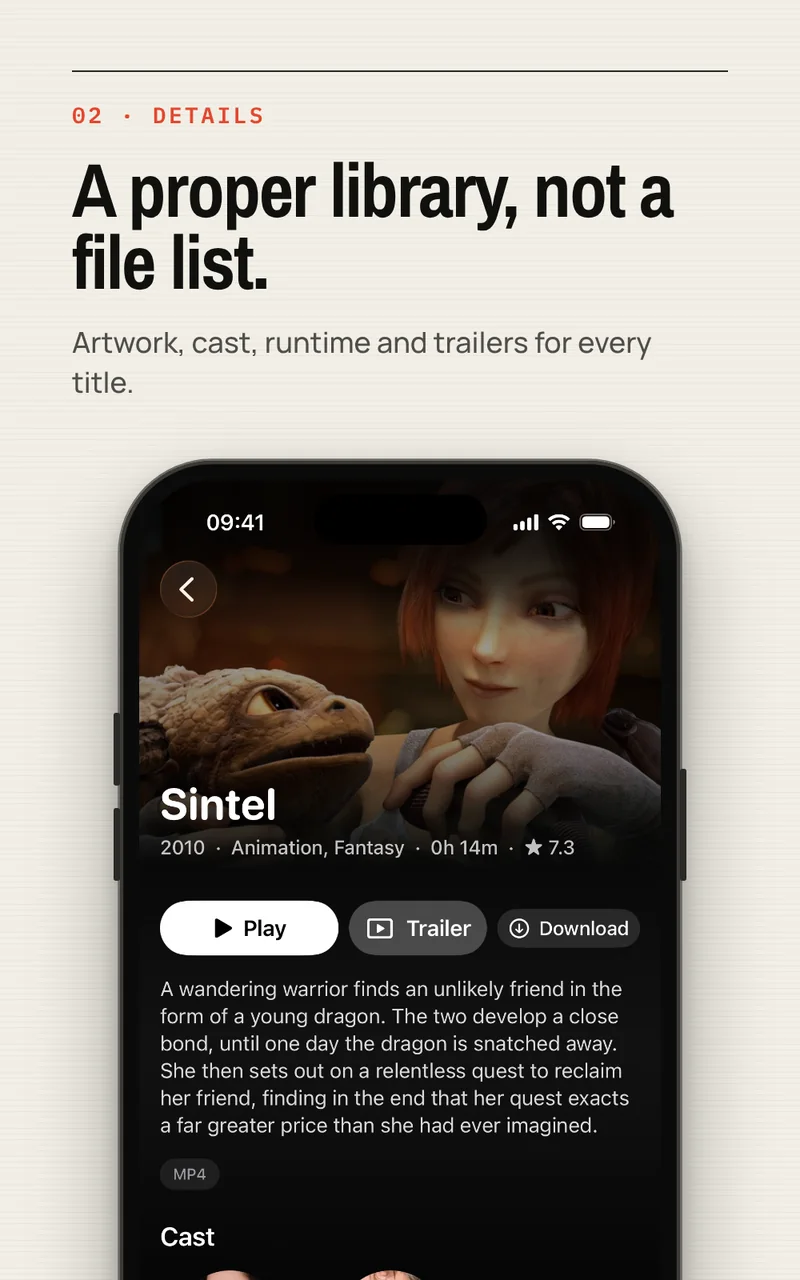
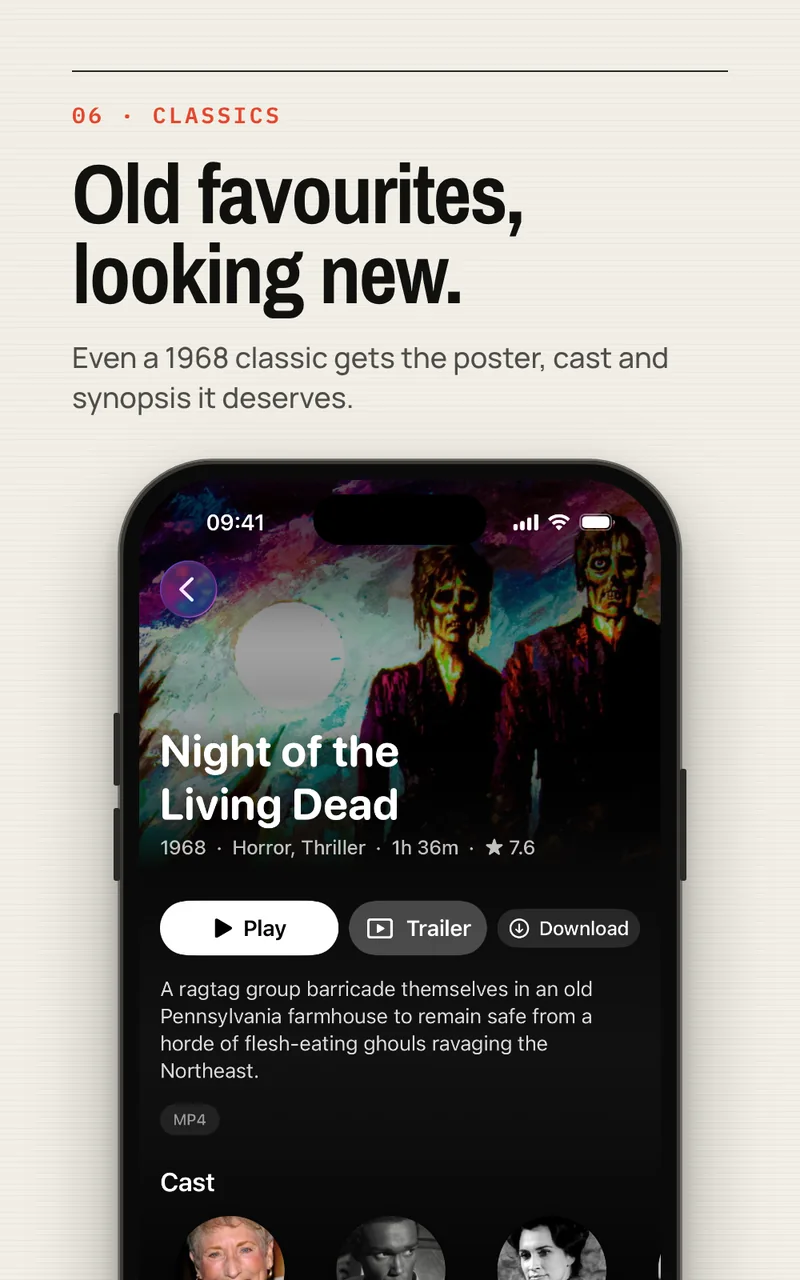
Davvy scans your WebDAV folders, reads the messy filenames people actually have, and groups them into movies, shows, seasons and episodes.

  • Poster art, synopsis, rating, runtime and genres
  • Episode names, descriptions and stills for TV shows
  • Box sets and oddly named files handled by a fallback matcher
  • Include or exclude specific folders so private paths are never scanned
One library, three routes

Home, Tailscale or the open internet.

Give a server up to three addresses. In Auto mode Davvy races them on every network change and uses whichever answers first.

  • LAN address for full-fat playback at home
  • Tailscale address for everywhere else, with no ports opened
  • Public URL when you have one
  • A badge in the toolbar to pin a route by hand
Plays what the others won't

MP4 and MKV, without you thinking about it.

MP4 and MOV use Apple's native player for the best battery life and AirPlay behaviour. Anything Apple can't decode — MKV, AVI, awkward codecs — plays through a bundled VLC engine instead, and the app picks for you.

Pick up where you stopped

Continue watching, on the right screen.

Progress follows you between iPhone, iPad and Apple TV through your own private iCloud, so the TV already knows you are 40 minutes into episode three. On Apple TV it also fills the Top Shelf row on the Home Screen.

On the big screen

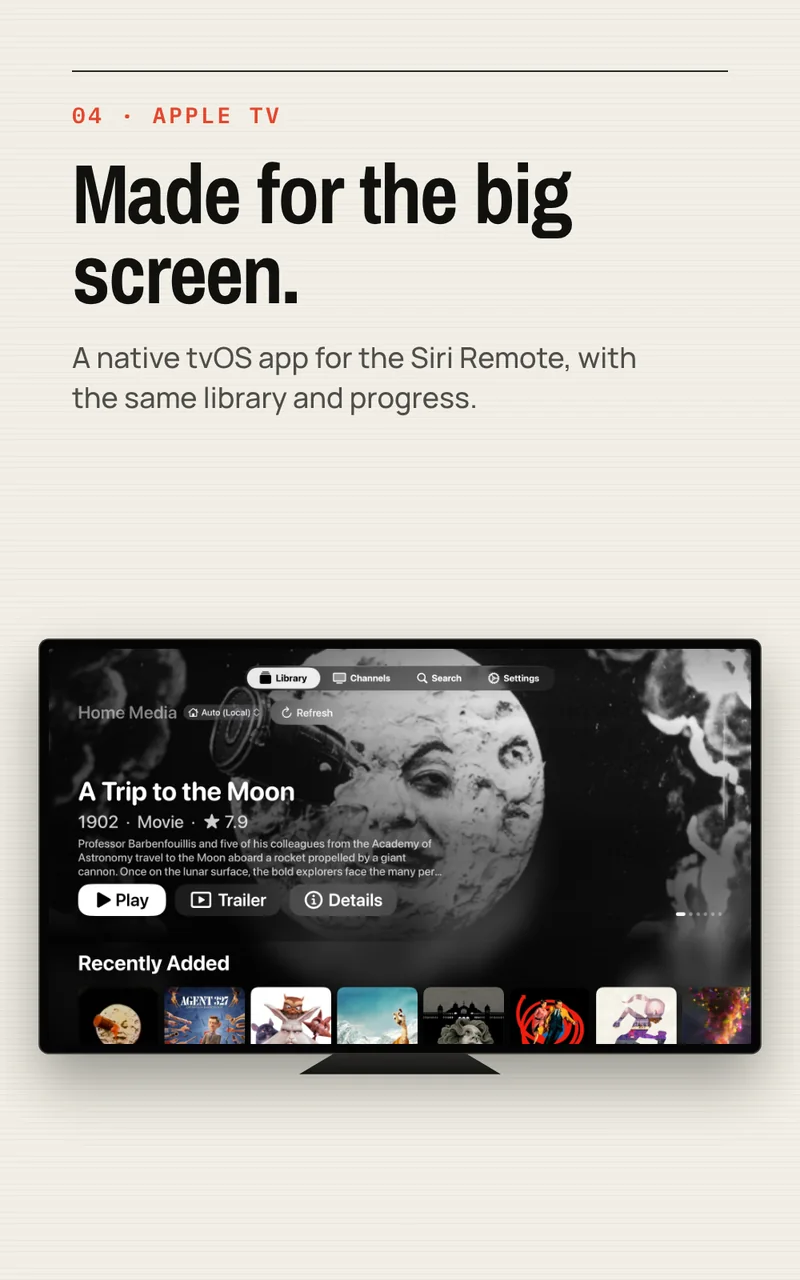
Apple TV, AirPlay and Chromecast.

Davvy ships as a real tvOS app, built for the Siri Remote rather than squeezed onto the TV from the phone.

From the iPhone you can also AirPlay or cast. When a file is in a container the receiver can't handle, Davvy remuxes it on the device and serves the receiver a stream it understands — the same trick the big self-hosted players use, so an MKV still lands on the TV. Picture in Picture and background audio work the way you would expect, and audio sync can be nudged per output route when a set of AirPlay speakers runs ahead.

Read the common questions
How it works

Four steps, then it is just a media app.

Setup is a one-time thing, on one device. The rest follow.

Add your server

Name it, point it at the folder your media lives in, and enter your WebDAV username and password.

Add your routes

Give it a home address, a Tailscale address, a public URL, or all three. Auto handles the rest.

Let it scan

Davvy walks the folders, groups films and shows, and pulls in artwork and episode detail.

Watch anywhere

Play on the phone, cast to the TV, and carry on from the same second on the Apple TV.

What you need

Requirements.

Davvy requires a WebDAV server that you own or have an account on. Davvy does not provide films, television, media or server hosting, and it has no catalogue of its own. You are responsible for the content available through your server.

  • iPhone or iPad on iOS 17, a Mac on macOS 14, or an Apple TV on tvOS 17
  • A WebDAV server you can reach — Synology, QNAP, TrueNAS, Nextcloud, rclone, Apache, nginx, Caddy
  • Your own account on that server
  • iCloud, if you want servers and progress to follow you between devices
Price

Free at launch. No subscription.

Davvy is free to download and use, with no subscription and no in-app purchase in the first release. No feature is held back behind a paid tier.

It is built by a small studio that runs its own NAS, which is the entire reason the app exists. If it becomes useful to you, telling someone else about it is more than enough.

No analytics and no tracking, and the first release ships with no advertising: see the Davvy privacy policy.

Ask a question
FAQ

Questions people ask first.

Still stuck? Support is email-first and answered by the people who built it.

Do I need my own server?

Yes. Davvy is a client, not a streaming service. It needs a WebDAV server that you control, it provides no media of its own, and the content available through your server is your responsibility.

Which servers does it work with?

Anything that speaks WebDAV: Synology with the WebDAV Server package, QNAP, TrueNAS, Nextcloud, rclone serve webdav, Apache mod_dav, nginx and Caddy among others. There is no separate media server to install or index to rebuild.

Can I watch when I'm away from home?

Yes. Each server holds up to three addresses — home or LAN, Tailscale, and a public URL — and Auto mode races them whenever the network changes, using whichever answers first. Remote playback quality depends on your upload speed; large 4K remuxes want a wired server.

Where does the artwork come from?

The Movie Database. Davvy cleans up the file or folder name, works out the title and year, and sends just that to look up posters, descriptions, ratings, runtimes and episode detail. Renaming a stubborn file to Title (Year) fixes almost every miss, and you can supply your own TMDb API key in Settings.

Does it play MKV?

Yes. MP4 and MOV use Apple's native player; MKV, AVI and unusual codecs play through a bundled VLC engine, and Davvy chooses automatically. For AirPlay and Chromecast, incompatible containers are remuxed on the device so the receiver still gets something it can play.

Do my devices stay in sync?

Your servers and your continue-watching progress sync between iPhone, iPad and Apple TV through your own private iCloud database — there is no account with us and no server of ours involved. The scanned library index itself stays local to each device, because it is rebuilt by scanning anyway.

How much does Davvy cost?

Nothing at launch. No subscription, no in-app purchase.

Davvy

Coming soon to the App Store.

Get launch updates