
Unfold your next chapter.
Lextura 1.1 is made for iPhone Duo. Your passage on one side. Your focus word and controls on the other. A bigger reading view that keeps the words around you in sight.
18 November 2026 · App update · 2 minute read
Get Lextura free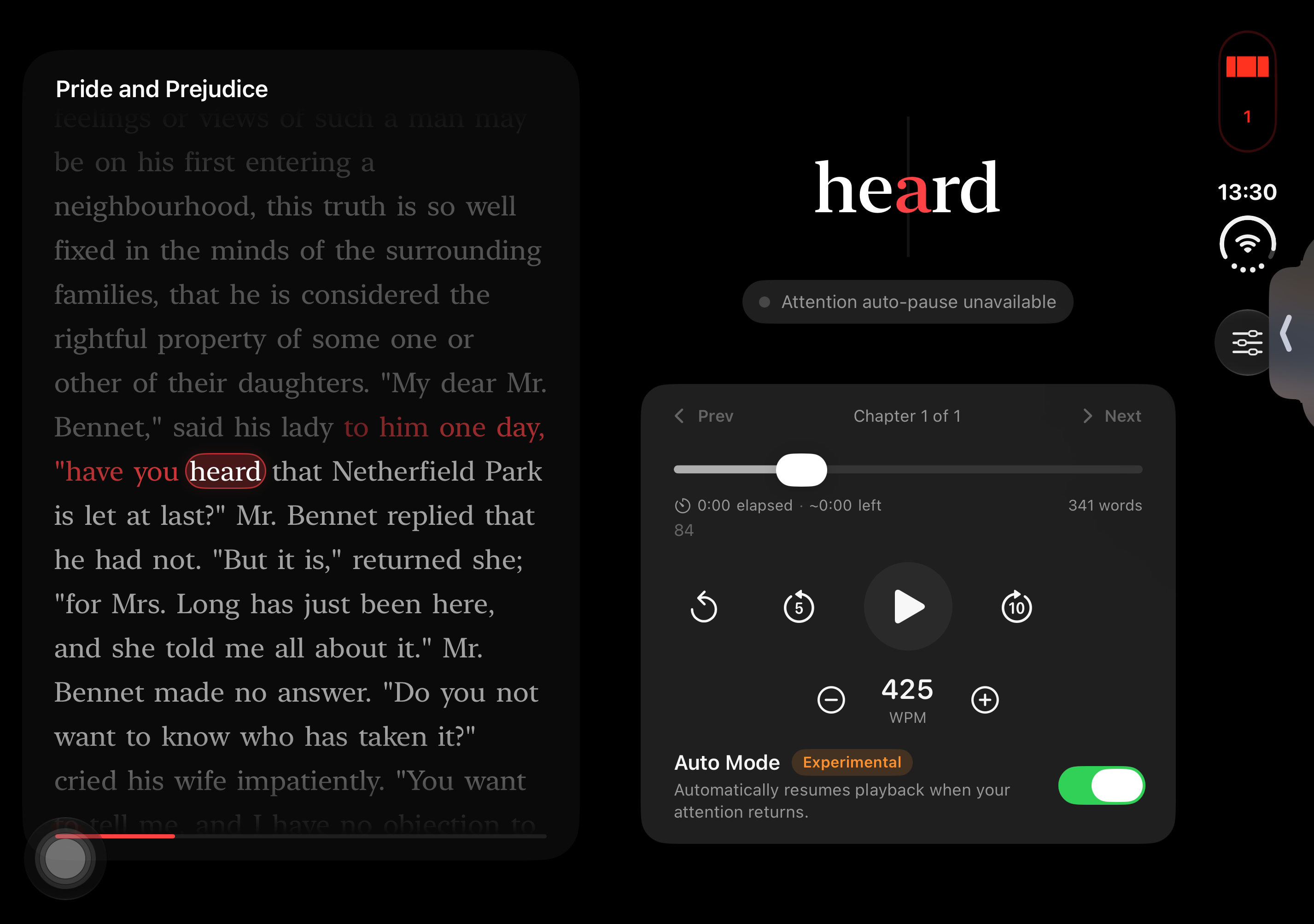
A passage beside your focus word
One-word reading lets you set a steady pace. Sometimes you also want to glance at the sentence around that word. On iPhone Duo's inner display, Lextura now puts that surrounding passage beside the focus word and playback controls, with space between the panes for the fold.
Follow the highlight. Tap to jump.
A moving highlight follows each word, leaving a fading trail through the passage. The text scrolls to keep your place in view. Want to revisit a sentence? Tap a word in the passage to jump playback there.
Fold closed and keep reading
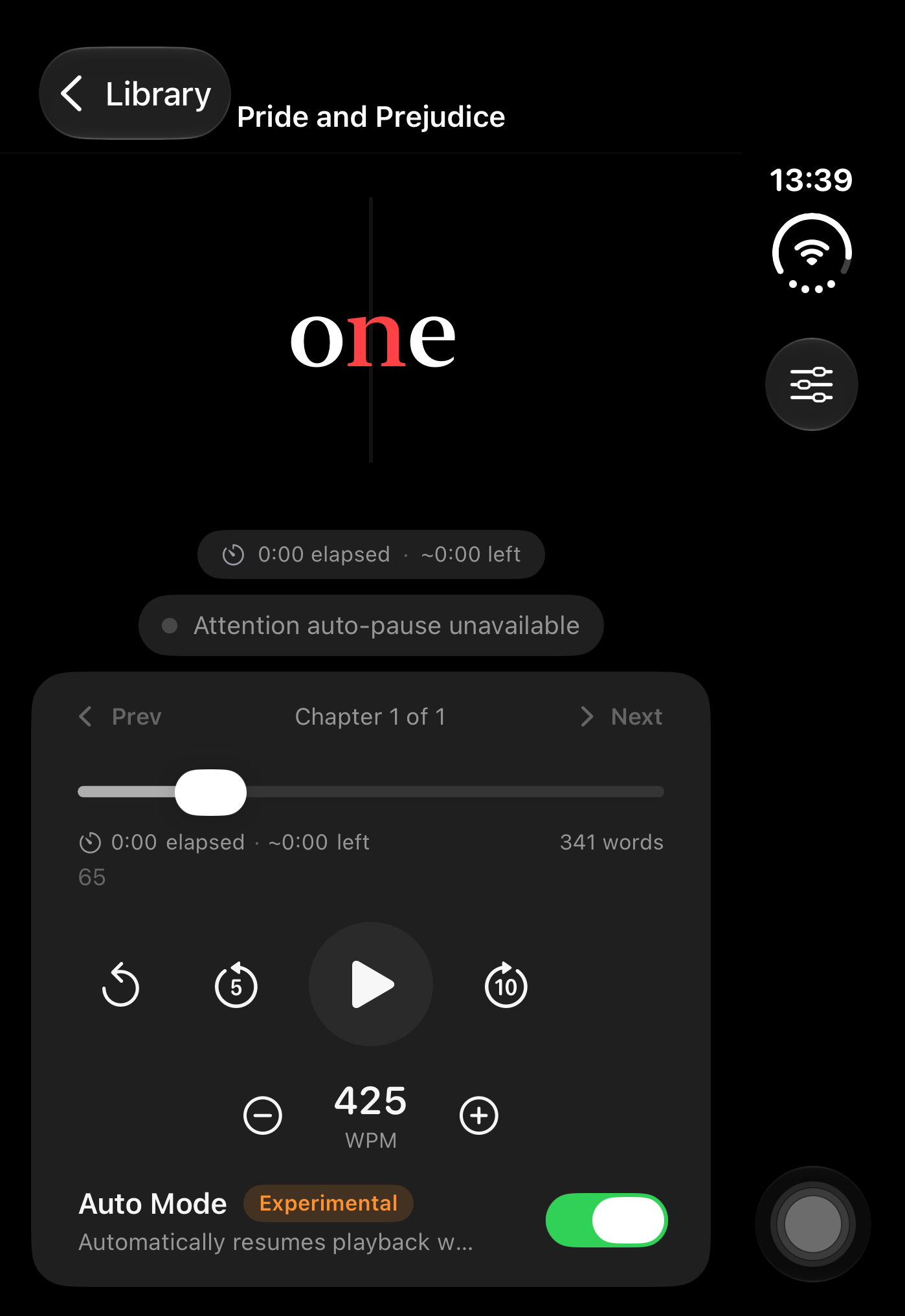
Close iPhone Duo and continue on the outer display. Books opened from Home now open full screen, making better use of the space available.
Bring your own reading
Lextura is a free speed reader for imported books, articles and text. Choose your pace and work through your reading one word at a time. The Duo layout is part of version 1.1.
Attention auto-pause depends on supported iPhone hardware and conditions. Auto-resume is experimental; the inner-display screenshot shows attention auto-pause unavailable. The new two-pane layout works independently of that feature.
Open Lextura on the App Store and choose Update if you already have it. You can also explore Lextura or see our other apps.