Import
Screenshots and photos
Choose a screenshot or photo from your photo library. Img2Wallet reads the selected image.
Img2Wallet is a free iOS app that converts static barcode screenshots and photos into Apple Wallet passes. The free tier permits two saved passes and shows ads. One optional lifetime Pro purchase removes every ad and allows unlimited saved passes.
Import an image, let on-device Vision Framework recognition read the barcode, and add it to your Wallet with one tap. It then follows you to your paired Apple Watch like any other pass.
iPhone / Apple Wallet sync to a paired Apple Watch / Vision Framework / PassKit / QR, PDF417, Aztec, Code 128, EAN, Data Matrix / No account
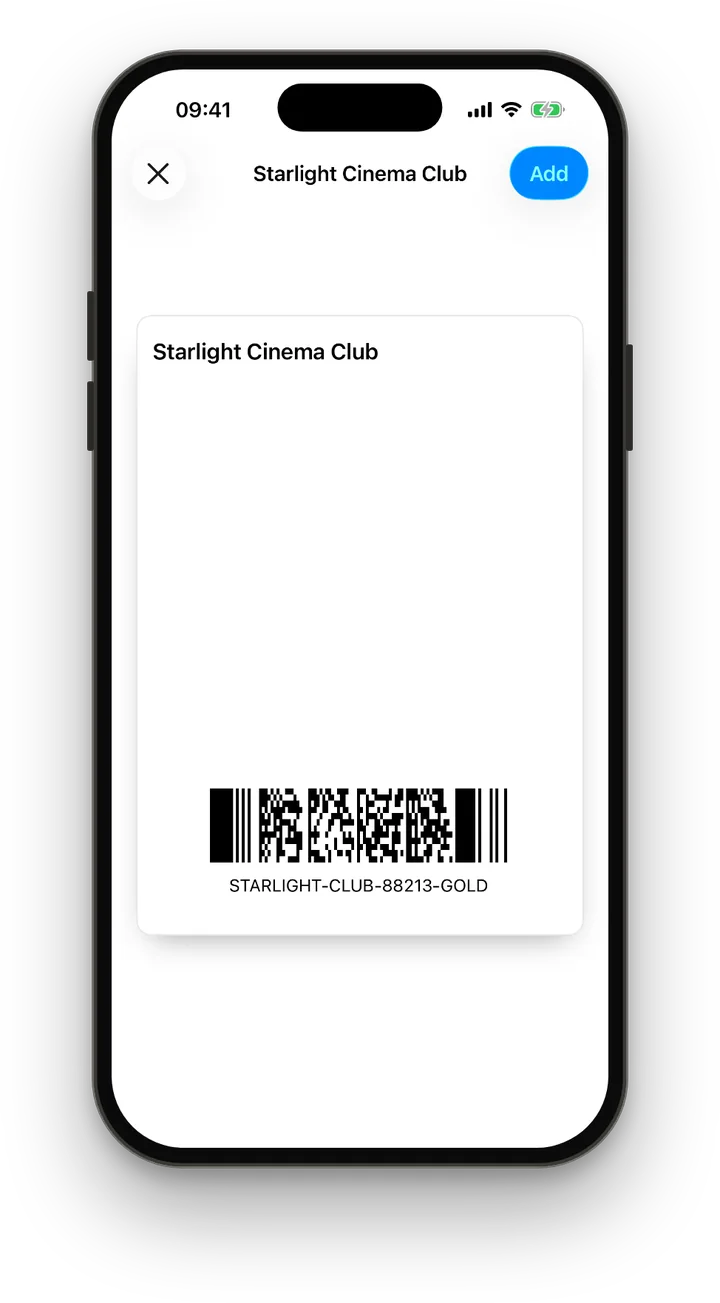
The same QR code shown before and after pass creation, at its real iPhone proportions.
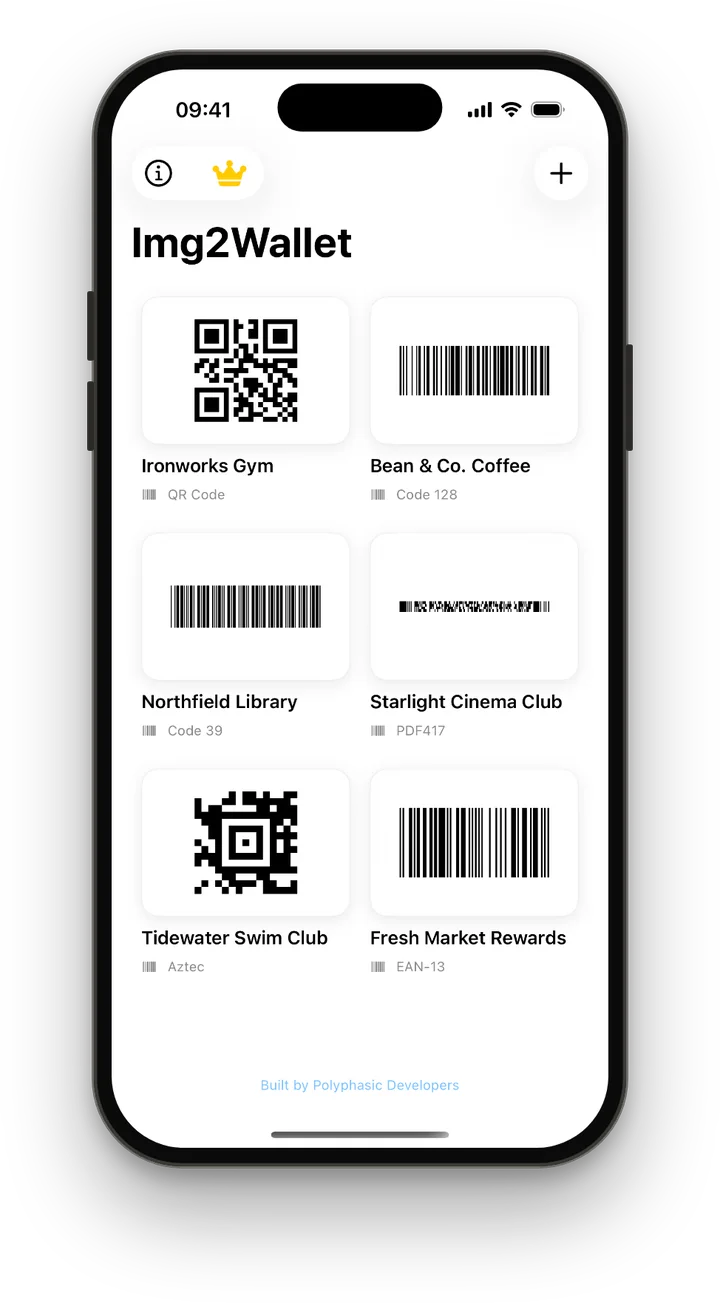
Import a screenshot or photo. Img2Wallet detects the code and keeps the card ready to turn into a pass.
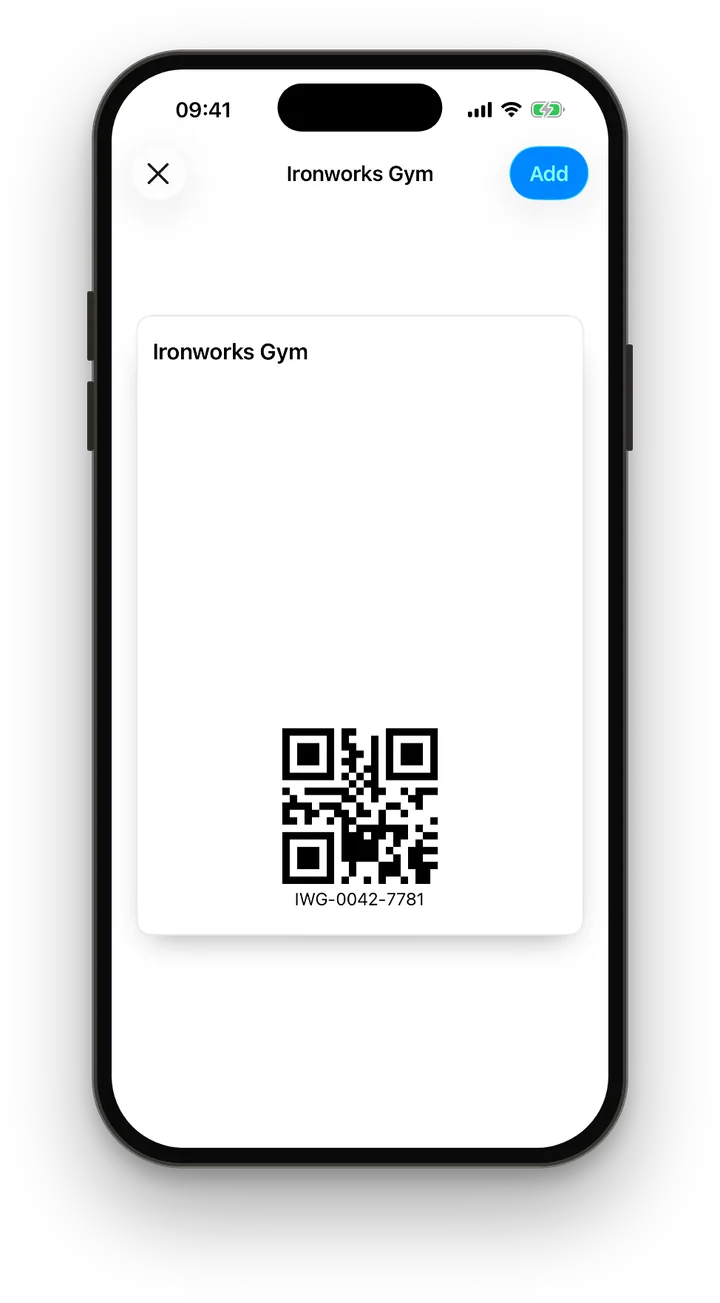
The generated pass lives natively in Apple Wallet, alongside your boarding passes, loyalty cards and tickets.
Half your wallet is plastic membership cards, paper tickets and barcoded printouts that should have been in Apple Wallet from the start.
Existing tools either expect you to type in the details by hand, demand a developer-style pass setup, or hold your data indefinitely just to generate a pass.
Img2Wallet treats a static barcode image as the source. A screenshot, a clear photo of a plastic card or a saved barcode can become an Apple Wallet pass without retyping the code.
“Stop carrying plastic cards and paper barcodes. Snap, convert, scan.”
Img2Wallet, by Polyphasic Developers
Your image goes in. A real Apple Wallet pass comes out. Recognition happens on your iPhone. The selected image goes to our server only for the signing step Apple requires.
Img2Wallet uses Apple's first-party Vision Framework and PassKit APIs for barcode detection and pass creation. Apple Wallet only accepts cryptographically signed passes, so the final signing step runs on our own server, which deletes your image as soon as the pass is signed.
There is no signup or account to manage. Pass images and content are not shared with advertisers or used for advertising. The free tier does use Google AdMob, as explained in the privacy policy.
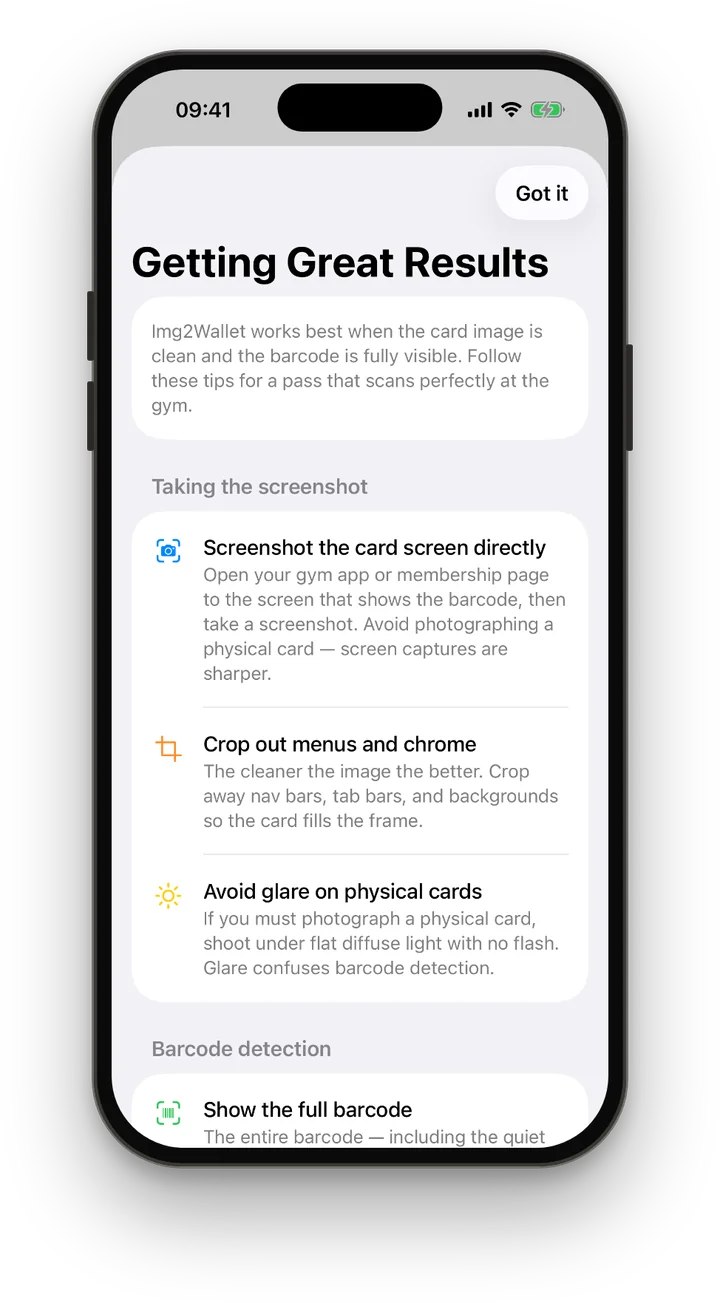
A focused consumer app, native to iPhone. Passes can sync through Apple Wallet to a paired Apple Watch. No web dashboard, no pass-designer learning curve.
Choose a screenshot or photo from your photo library. Img2Wallet reads the selected image.
Img2Wallet recognises QR, PDF417, Aztec, Code 128, Code 39, Code 93, EAN, UPC-E, ITF, Data Matrix, Codabar, GS1 DataBar, Micro QR and Micro PDF417.
Barcode recognition powered by Apple's native Vision Framework, fast and accurate, with no manual transcription.
QR, PDF417, Aztec and Code 128 use native Wallet barcode objects. For other recognised formats, the server renders the same format as a static pass image and keeps the source image if it cannot verify a safe result. Version 1.5 preserves a Data Matrix symbol's detected module grid where possible.
Apple Wallet can sync the pass to a paired Apple Watch. Whether it scans successfully still depends on the barcode and the venue's scanner.
Set the Card Name before saving so you can identify it beside your other Wallet items.
Static barcodes on cards and screenshots can move into Apple Wallet, subject to the barcode format and the scanner used by the issuer or venue.
Gym memberships, coffee shop loyalty cards, supermarket clubs. Snap them once and stop carrying the plastic. Scan from your iPhone or Apple Watch instead.
Concert tickets, cinema bookings, museum passes. Convert the confirmation screenshot into a proper Wallet pass that's quick to find and scan.
Pull the barcode straight from a gift card or voucher email and put it in Wallet, where you'll actually see it when you need it.
Static barcodes on parking permits or conference badges may work. Img2Wallet cannot copy NFC hotel keys, transit credentials or codes that rotate and refresh.
The whole flow takes less time than finding the card in your bag.
Choose a screenshot, card photo or saved barcode image from your photo library.
Vision Framework reads the barcode on device, with no manual transcription of its payload.
Set the Card Name shown for the pass before adding it to Apple Wallet.
One tap adds the signed pass to Apple Wallet. Wallet can then sync it to a paired Apple Watch.
Most pass-creation tools fall into two camps: web-based generators that demand manual data entry and a server upload, or developer tooling aimed at building new pass types from scratch.
Img2Wallet is neither. It is a focused consumer app, native to iPhone, that uses on-device recognition to turn images you already have into Wallet passes you can actually use, without an account or a learning curve. Those passes can sync through Apple Wallet to a paired Apple Watch.
Short, specific walkthroughs for the most common Img2Wallet jobs.
Turn an image already on your iPhone into a proper Wallet pass without retyping the barcode.
Read the guideKeep your membership card one double-press away instead of opening a slow gym app at the door.
Read the guideMove a plastic card, email barcode or rewards-app screenshot into Apple Wallet.
Read the guideStill stuck? Support is email-first and answered by the people who built it.
Img2Wallet is a native iOS app that turns static barcode screenshots and photos into Apple Wallet passes. It reads the barcode on device, sends the selected image to our server for signing, and lets Apple Wallet sync the finished pass to a paired Apple Watch.
Img2Wallet uses Apple's Vision Framework to detect a barcode in the image. QR, PDF417, Aztec and Code 128 can become native Wallet barcode objects. For formats Wallet cannot encode natively, the server renders the same format as a static pass image and keeps the source image if it cannot verify a safe result. In version 1.5, Data Matrix preserves the detected symbol's module grid where possible. The signing step runs on our server, and your image is deleted when signing completes.
Img2Wallet recognises QR, PDF417, Aztec, Code 128, Code 39, Code 93, EAN-8, EAN-13, UPC-E, ITF-14, Interleaved 2 of 5, Data Matrix, Codabar, GS1 DataBar, Micro QR and Micro PDF417 on supported iOS versions.
Img2Wallet is for static barcodes. It cannot copy NFC hotel keys, transit access credentials or barcodes that rotate and refresh. Acceptance still depends on the scanner used by the issuer or venue.
Yes. Once a pass is added to Apple Wallet through Img2Wallet, Apple Wallet can sync it to your paired Apple Watch. Scanning still depends on the barcode and the venue's scanner.
Your image is sent to our server for the final signing step, because Apple Wallet accepts only cryptographically signed passes. It is deleted when signing completes and is not shared with advertisers or used for advertising. Full details about pass content and AdMob are in the Img2Wallet privacy policy.
Img2Wallet is free to download. The free tier allows two saved passes and shows a native ad on Home, a banner while adding a card, an interstitial after a successful save and eligible app-open ads. One optional lifetime Pro purchase removes every ad and allows unlimited saved passes. It can be restored and is not a subscription.
Img2Wallet is available on the App Store. It runs on iPhone and supports a paired Apple Watch.
If you've got more screenshots and plastic cards than your Wallet does, this is the fastest way to fix that.
Download on the App Store