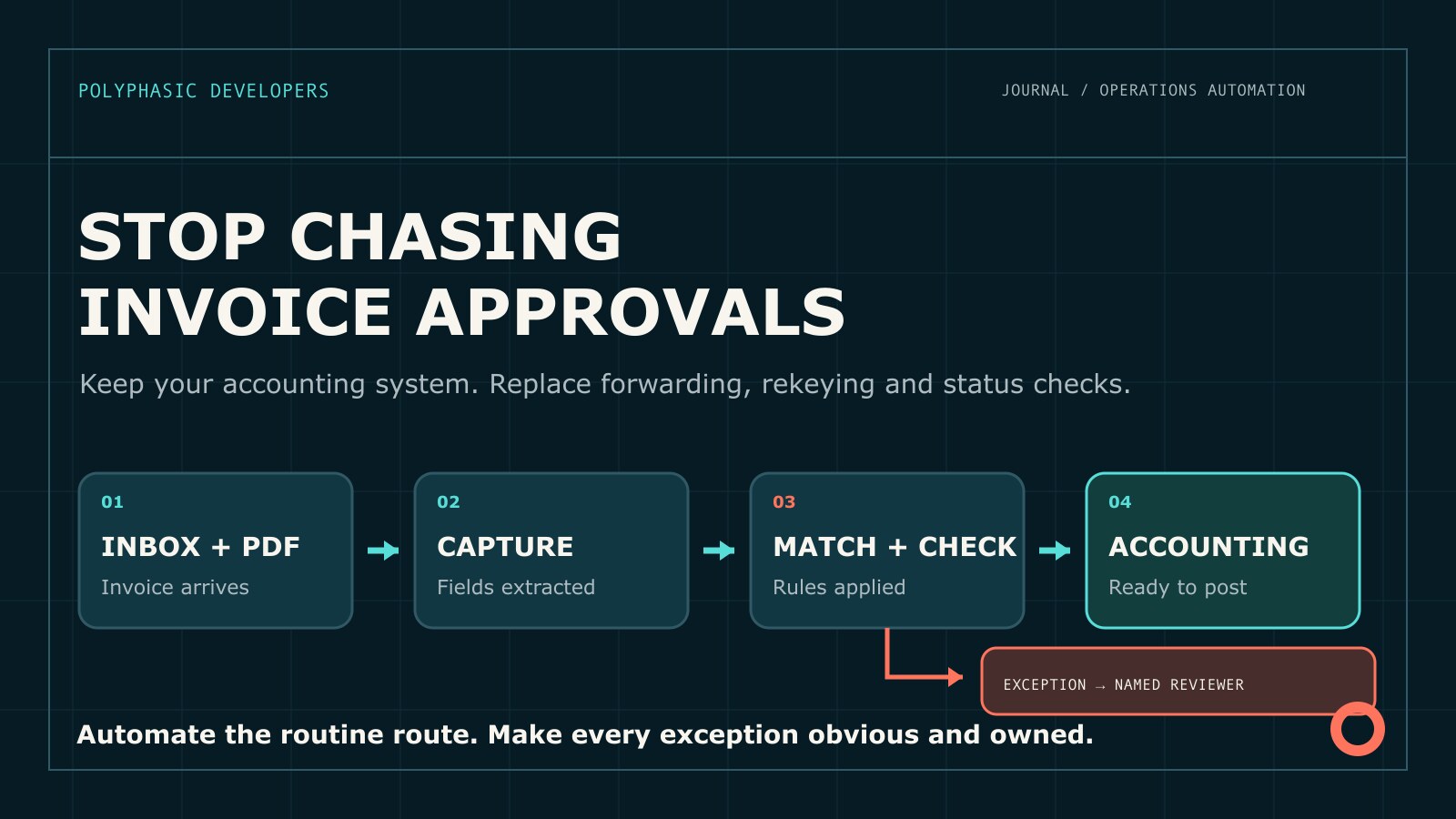
A typical invoice route might look like this: an invoice lands in an accounts payable inbox. Someone saves the attachment, finds the purchase order, checks whether the goods arrived and forwards the invoice to a manager. Two days later, the supplier asks when it will be paid. Nobody can tell whether the manager approved it because the answer sits in a different email thread.
The invoice is eventually entered into the accounting system. The amount is correct, but the cost centre is not. Finance fixes it during the month-end close.
Each step is manageable. Together they create a process that consumes attention, hides delays and depends on people remembering what to check. Invoice approval automation can remove much of that administration without replacing the accounting system or handing financial decisions to a model.
Invoice approval is not one task
The visible job is entering a supplier, invoice number, date and amount. The actual route often includes:
- collecting invoices from email, portals and shared folders;
- checking that the supplier and invoice have not appeared before;
- matching the invoice to a purchase order and receipt;
- working out who owns the cost and who can approve it;
- resolving price, quantity, tax or coding differences;
- posting the approved invoice and keeping the evidence.
Calling all of this data entry makes the process sound simpler than it is. The useful distinction is between routine checks that software can perform consistently and exceptions that need a person with authority.
Measure the process before changing it
Follow a sample of invoices from arrival to posting. Include ordinary invoices, invoices without purchase orders, partial deliveries, duplicate submissions, credits and at least one disputed charge.
Record hands-on time and waiting time separately. Note every point where somebody searches another system, asks for an approval or corrects information. Count how often suppliers ask for updates and how often finance repairs coding after an invoice has been posted.
The aim is not to produce a heroic savings estimate. It is to find the repeated work and the queues nobody can see. A process may involve only a few minutes of typing per invoice while still losing days to unclear ownership.
Start with one place for invoices to arrive
Automation is harder when invoices enter through individual inboxes, supplier portals and messages to whoever placed the order. A single intake route gives each invoice a record and a visible state.
That does not have to mean forcing every supplier into a new portal. A monitored email address may be enough. The system can retain the original file, associate it with a supplier and reject unsupported or unreadable attachments without losing the message.
Keep access narrow. Invoices contain commercial information and sometimes bank details. Staff may need to see approval status without seeing every document or supplier record.
Capture fields, then check them
Invoice layouts vary, so document extraction can be useful. Template rules work well for stable formats. A model may help identify fields in less predictable documents.
The output should remain a proposed set of values until it passes explicit checks. Supplier identity, invoice number, date, currency, tax, purchase order references and totals can be compared with source systems and the document itself.
Do not allow uncertain extraction to become confident accounting data. Keep the original invoice beside the captured fields. If an amount or identifier cannot be read reliably, send it to review rather than guessing. Financial software should be boring in exactly this way.
Match what can be matched
For purchase order invoices, software can compare the invoice with the order and the receipt. The useful checks depend on how the business buys, but they may include supplier, item, quantity, unit price, tax and delivery status.
A match does not need to be perfect in every business. Small rounding differences may be acceptable. A partial invoice may be normal. Freight may sit outside the purchase order. Write those tolerances down and make them visible. An unexplained tolerance is simply a hidden policy.
Non-purchase-order invoices need a different route. Rent, subscriptions and professional fees may recur without a purchase order. The system can suggest coding from the supplier and prior approved invoices, but the budget owner should remain responsible for the charge.
Route approvals by policy
Forwarding an invoice to a familiar manager works until that manager is away, the amount crosses an approval threshold or the cost belongs to another team.
An approval route should use rules the business can explain: legal entity, cost centre, amount, purchase order status and the type of exception. It should show the approver the invoice, the matching result and the precise decision required.
Approvers should not have to repeat checks finance has already completed. They also should not receive a green button with no explanation of what it means. Approval might confirm receipt, accept a price difference or authorise an unplanned cost. Those are different decisions and the record should say which one was made.
Delegation and absence rules matter. If an approver is away, the process should move to an authorised substitute rather than disappearing into an inbox until somebody complains.
The exception queue is where the value sits
The routine route should need little attention. The working experience is defined by the invoices that do not fit.
Each exception should say what failed, show the relevant source values and name the person who can resolve it. A price difference belongs with someone who can accept or dispute the commercial term. A missing receipt belongs with the person who ordered or received the goods. A tax issue belongs with finance.
Putting every problem into a general finance queue keeps the old bottleneck and gives it a dashboard.
Track repeated exceptions. If the same supplier always uses an old purchase order reference, or a team consistently buys before raising an order, the process has found a policy or data problem. Fixing that source is better than teaching staff to clear the same alert faster.
Do not automate changes to payment details
An invoice that includes new bank details should not quietly update the supplier record. Treat it as a separate event and use the business's verification process.
Preserve the existing details, record where the change came from and require the agreed independent check. Do not let the person requesting the change become the only person approving it where separation of duties applies.
Automation can make the control unavoidable and keep the evidence together. It should not decide that a message looks genuine or that a familiar supplier logo is proof.
Post only after the invoice is ready
The accounting or ERP system should remain the financial system of record. Once an invoice passes its checks and approvals, the workflow can create the payable through a supported API or import method.
Confirm what the accounting system actually created. A timeout may happen after the record was accepted. A coding value may be rejected. A supplier may be inactive. Retrying without checking can create duplicates.
Keep a link from the original invoice to the final accounting record. The audit history should show captured values, checks, exceptions, approvals and the returned transaction identifier.
A sensible first version
Choose one legal entity, supplier group or invoice route with enough volume to observe and reasonably stable rules. Build intake, duplicate detection, field capture, matching and a visible review queue.
At first, let the system prepare the accounting entry without posting it. Compare the result with what the accounts payable team enters. Test clean invoices and deliberately awkward ones: duplicate invoice numbers, missing purchase orders, partial receipts, tax differences, credit notes, unreadable files and an accounting system outage.
Move to automatic posting only when the team trusts the checks and the exception route. Keep a simple way to pause posting while retaining the queue.
When custom software is the wrong answer
Check the products already in use. Many accounting, ERP and accounts payable platforms include invoice capture, matching and approval workflows. If a standard module handles the route without awkward workarounds, use it.
A shared mailbox and a clear approval rule may be enough for a business processing a small number of predictable invoices. Custom software is also premature when cost centres are unreliable, purchase orders are optional in practice or nobody agrees who can approve what.
The case becomes stronger when invoice volume is meaningful, the route spans systems that do not connect cleanly and staff repeatedly resolve the same exceptions. There should be a specific operational or control problem to remove. Buying custom software because the inbox is annoying is not a business case.
Questions to answer before speaking to a developer
- Where do invoices arrive today?
- Which invoice types follow different routes?
- Which system owns supplier, purchase order and receipt data?
- What differences are acceptable without review?
- Who owns each type of exception and approval?
- What evidence must be retained?
- How does the accounting system accept invoices and report failures?
Bring real examples with supplier and financial details removed. Include the invoice that bounced between three people, the duplicate and the one finance had to repair later. Clean examples show the routine route. Awkward examples show what the software must actually handle.
Good invoice approval automation does not remove financial control. It removes the forwarding, rekeying and status checks that keep qualified people busy without improving it.