Journal › Img2Wallet
Img2Wallet 1.6 is built around the fold
Img2Wallet 1.6 is built for iPhone Duo. Cards, barcodes and controls now adapt as the device folds, unfolds or rotates, without putting the useful bit across the crease.
Img2Wallet 1.6 is built for iPhone Duo. Cards, barcodes and controls now adapt as the device folds, unfolds or rotates, without putting the useful bit across the crease.
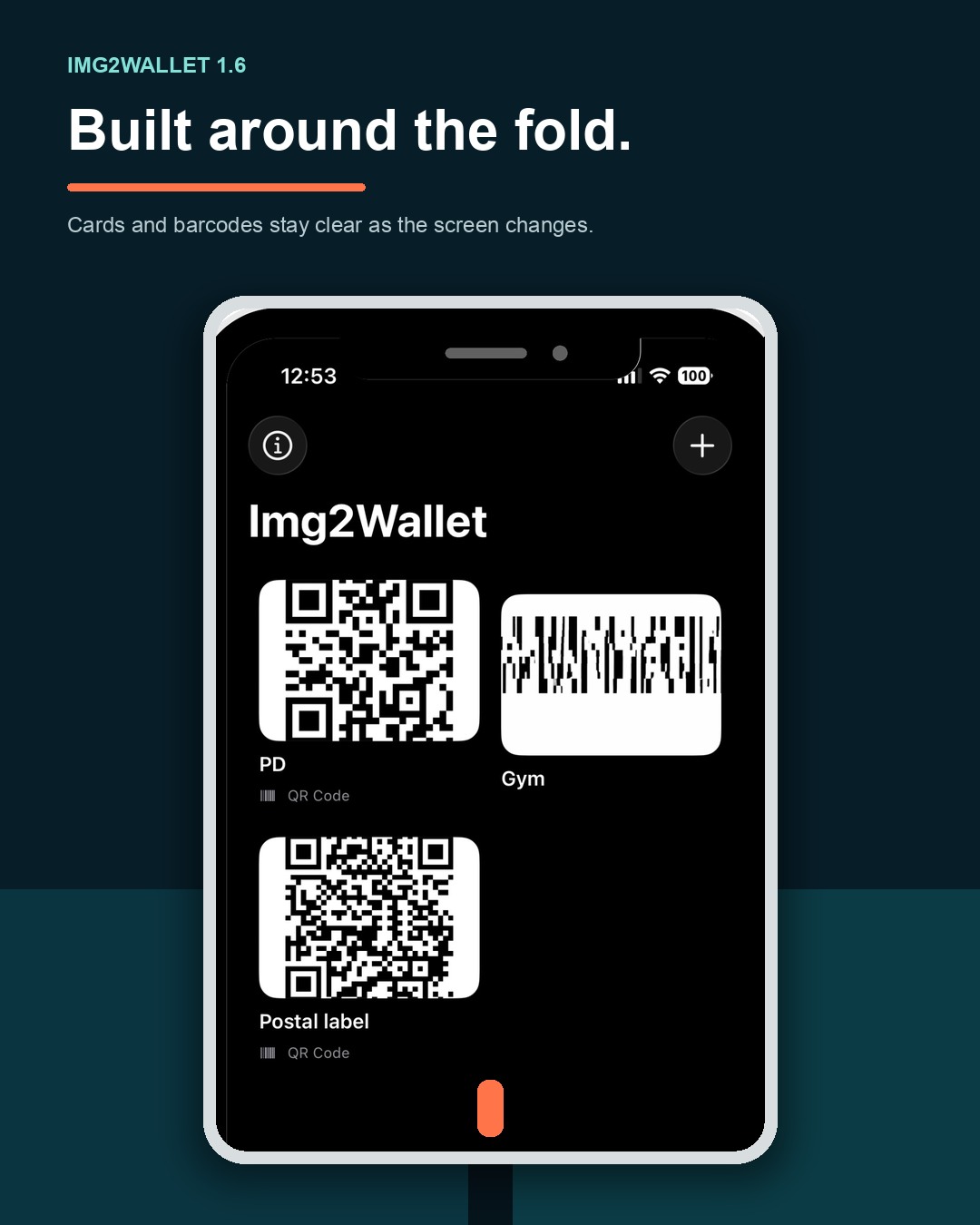
Release summary: Update to Img2Wallet 1.6 for iPhone Duo support. The app now resizes as the device changes shape, keeps card content away from the hinge and moves Max Brightness to the screen that is actually showing your card.
A folding screen changes while you are using it. A card that looks fine when the device is flat can become awkward when it is propped up, opened like a book or rotated. Version 1.6 treats those changes as part of the task rather than a reason to start again.
The update also tidies the Img2Wallet Pro screen and changes when the app asks for a rating. Here is what each change means in practice.
Img2Wallet now responds to every iPhone Duo pose listed in Apple's release notes: closed, open, propped up and rotated. Fold or unfold the device while working and the app resizes instantly. There is no restart, and the task in progress stays in place.
That matters when you are preparing a pass or already have a barcode on screen. Change the position of the device to suit the counter, scanner or space in front of you. Img2Wallet follows the display instead of asking you to reopen the card.
Prop iPhone Duo up like a laptop or open it like a book and Img2Wallet moves onto one half of the screen. The card and its barcode remain on a flat part of the display rather than bending over the hinge.
Lay the device flat again and the app spreads back out without losing your place. You do not need to choose a special layout before showing the card. Change the device position and let the app place the useful content where it can be read clearly.
Max Brightness now boosts the screen that is actually showing your card. If you fold or unfold iPhone Duo while scanning, the brightness boost moves with the card. The other screen remains as it was.
This keeps the behaviour tied to the job at hand. Put the card on the display facing the scanner, then change the device position if needed. Img2Wallet moves the brightness boost with the card instead of brightening the wrong half.
Open iPhone Duo and the Img2Wallet card grid spreads out to use the additional space. The columns are arranged so the fold sits between cards rather than through them.
That gives you more cards at a glance while keeping each card on one side of the crease. Choose the card you need from the wider grid, then open it as usual. The layout does the hinge-avoiding work for you.
The less glamorous parts of an interface still need to behave when a screen changes shape. In version 1.6, sheets, tips and adverts size themselves to the space available on iPhone Duo's inner and outer displays. The same sizing work also applies in Split View.
Open a sheet or tip in the device position you are using and it should fit that space rather than assuming a conventional full-screen phone layout. If you change the pose, Img2Wallet adjusts with it.
The Img2Wallet Pro screen now states the choice more plainly. One lifetime payment removes adverts and unlocks unlimited passes. The screen also provides a visible Keep using free option, so continuing without the purchase is not hidden.
If you are restoring a previous purchase, the screen now shows visible progress. That makes it clearer that the restore is under way instead of leaving you to wonder whether the tap registered.
Img2Wallet now asks for a rating only after you have successfully added a few passes to Apple Wallet. The request appears at most once every few months.
In other words, the app waits until you have had a fair chance to use the thing it is asking you to rate. There is no control to learn here. Carry on adding passes and dismiss the request if it is not a good moment.
New to the app? Start with the guide to adding a photo or screenshot to Apple Wallet. There are also practical guides for loyalty and gift cards and gym membership barcodes.
Img2Wallet 1.6 adds iPhone Duo support. It adapts as the device folds, unfolds or rotates, keeps cards away from the crease, moves Max Brightness to the screen in use and makes better use of the larger display.
Yes. Apple's release notes say Img2Wallet resizes instantly as the device folds and unfolds, with no restart and nothing lost mid-task.
Get the update from the App Store. You can also explore Img2Wallet before downloading it.
Turn a card image into an Apple Wallet pass, then keep it ready on iPhone.