
Connect Apple Health
Grant read access to the Apple Health categories Forma supports, including steps, distance, active energy, heart rate, blood oxygen, sleep, mindful sessions, and workouts.
Forma is a free iPhone app that lets you export Apple Health data to CSV, Excel, or JSON, privately, on your device, with no account required. Choose a folder, pick a format, and turn HealthKit data into files you can actually use in spreadsheets, dashboards, or your own analysis tools.
Premium adds AI coaching, dashboard views, insights, records, and automatic midnight export, but free export is the core reason to use it.
Forma is an iPhone app that lets you export Apple Health data to CSV, Excel, or JSON for free. It is built for people who want a cleaner, more usable export than Apple’s default XML export, while keeping their data private and saved to a folder they choose.
Premium adds AI coaching, insights, and deeper analysis, but the free export is the core reason to download.
If you have ever tried exporting health data from Apple Health, you already know the problem: the default export is not built for normal people. Forma focuses on the one thing most users actually want: a clean export they can open, inspect, share, or work with immediately.
With Forma, free users can export supported Apple Health data as CSV, Excel, or JSON directly from their iPhone. No account setup. No forced cloud dashboard. No making export the premium upsell.
Apple Health export is usually treated as a technical archive. Forma is designed around the actual export workflow.
| Topic | Apple Health export | Forma |
|---|---|---|
| Output | XML | CSV, Excel, JSON |
| Usability | Technical and hard to work with | Ready for spreadsheets and structured use |
| Workflow | Generic share flow | Export-focused experience |
| Destination | Generic export/share path | Saved to the folder you choose |
| Analysis | None | Premium insights and AI coach |
Connect Apple Health, choose your folder, pick CSV, Excel, or JSON, and export supported recent data in a tap.
Grant read access to the Apple Health categories Forma supports, including steps, distance, active energy, heart rate, blood oxygen, sleep, mindful sessions, and workouts.
Pick the folder where you want your export saved. Forma writes files to the location you choose, so you stay in control of where your data goes.
Select the format that matches your workflow. CSV works for quick spreadsheet analysis, Excel gives you a structured workbook, and JSON suits developer-friendly use.
Run the export manually for free whenever you need it. Premium users can also enable automatic midnight export for a hands-off routine.
The app already has a clear export flow, analytics surface, and premium analysis layers. These screens show the current product without overstating what is free versus premium.
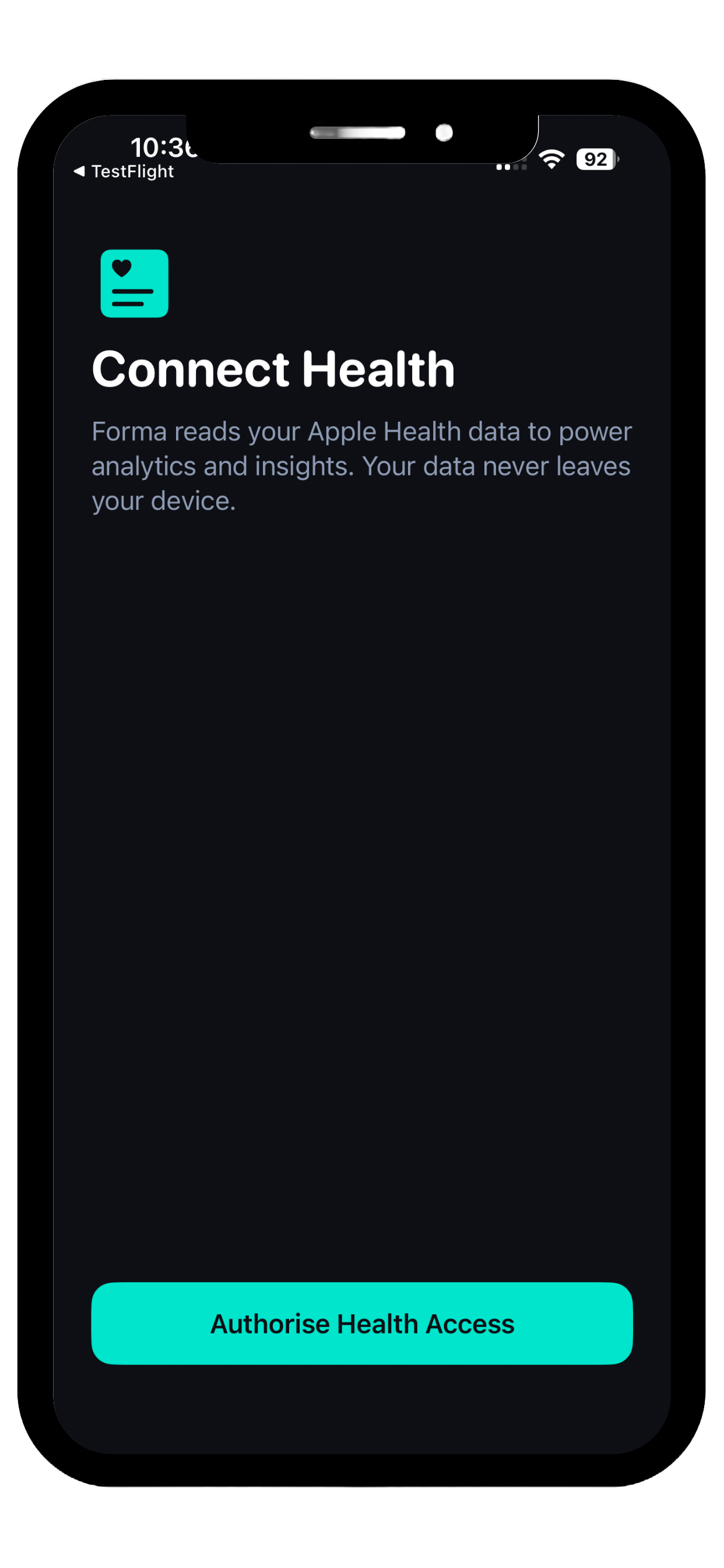
Forma connects to Apple Health only after you approve access, keeping the export workflow private, intentional, and fully permission-based.
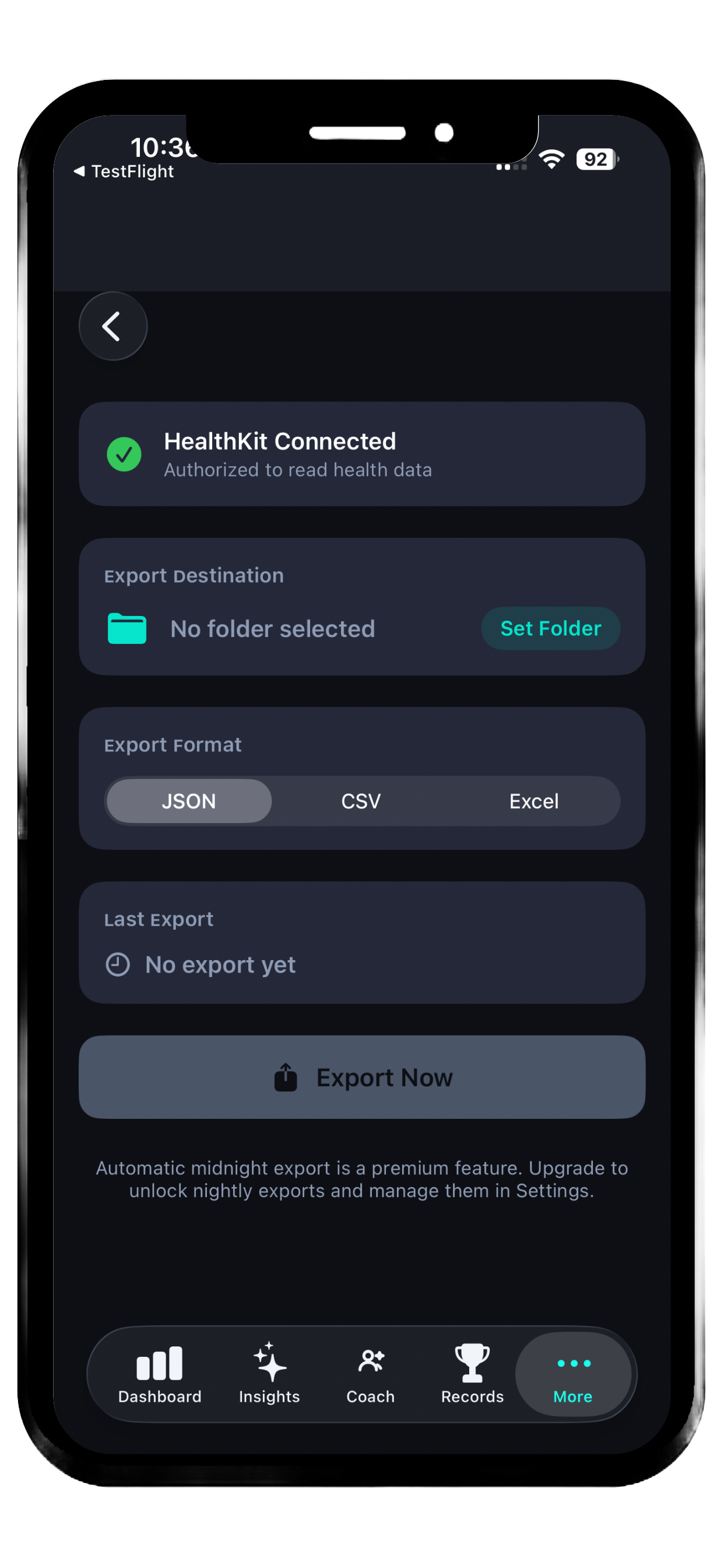
Set your destination, choose CSV, Excel, or JSON, and run a manual export whenever you need a clean file from recent Apple Health data.
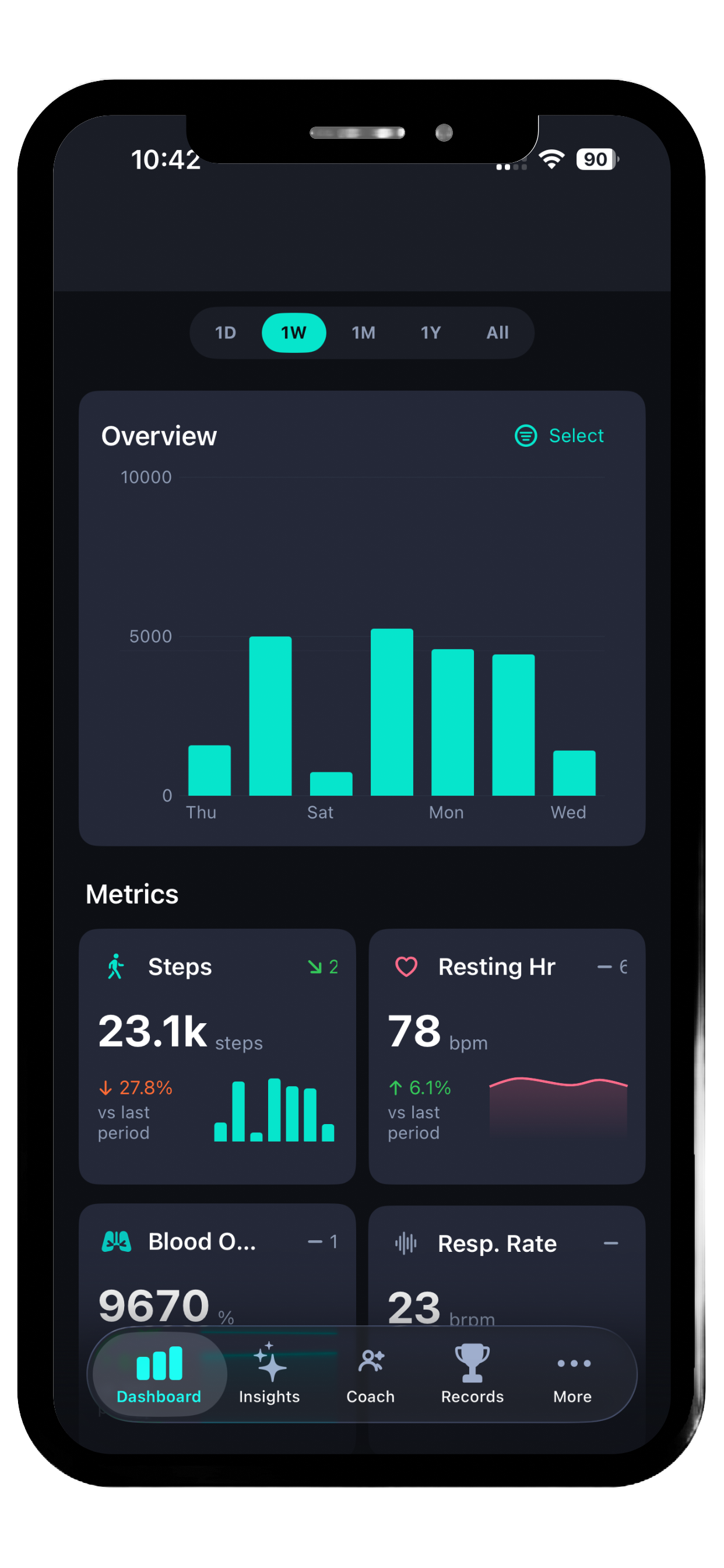
Premium adds a focused dashboard for weekly trends, headline metrics, and quick summaries built around the health data you have already exported and reviewed.
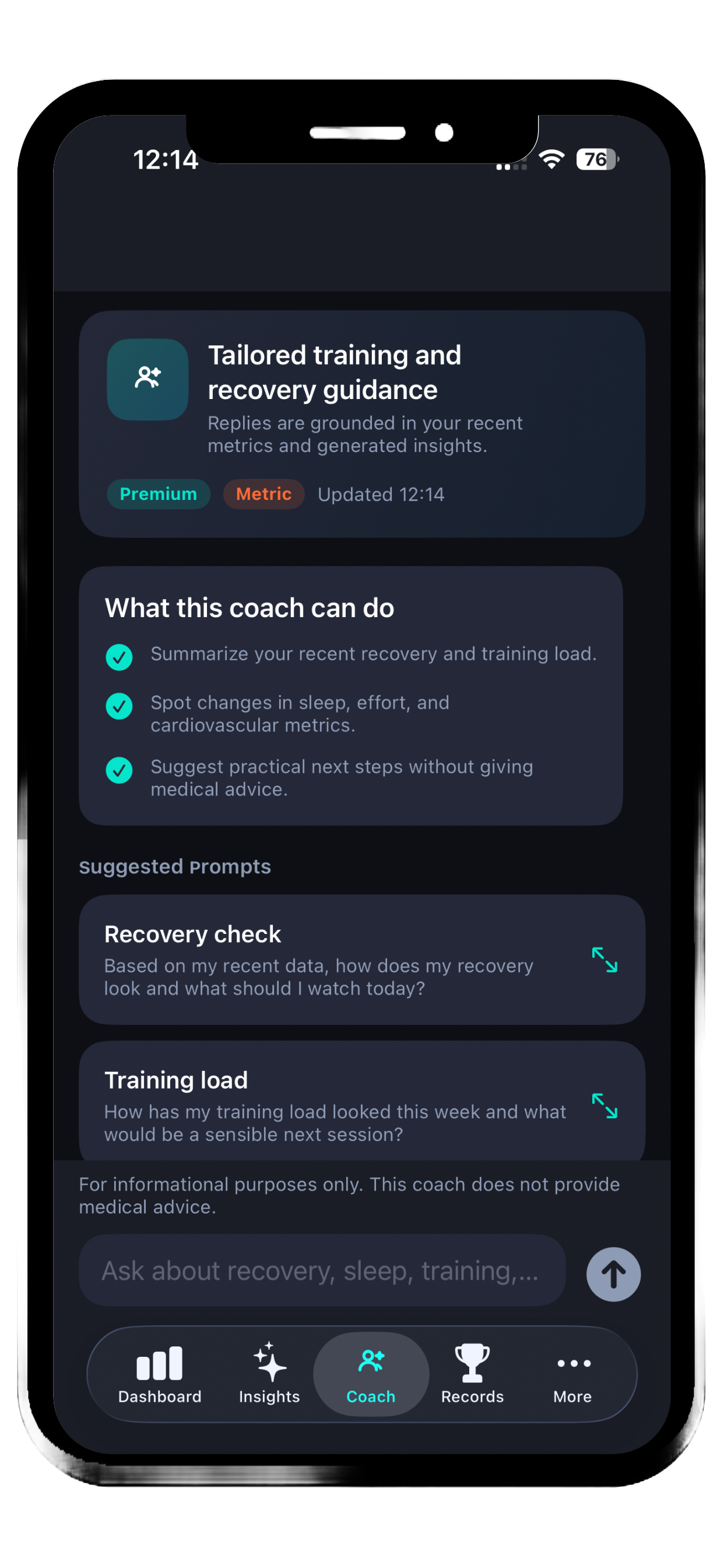
For users who want interpretation as well as export, Forma Premium adds contextual guidance, practical insights, and suggested prompts based on recent health patterns.
The export itself stays front and centre. Premium is the upgrade for interpretation, context, and recurring analysis.
Forma is for people who do not want their health data trapped inside an app interface. Some want a spreadsheet. Some want structured files. Some want private local export first and AI guidance second.
Useful for people who want Apple Health data in CSV instead of XML and need something they can inspect in Excel or Numbers straight away.
Structured JSON output makes it easier to pull recent health data into custom scripts, personal dashboards, or analysis pipelines.
Choose where files are saved, avoid forced accounts, and keep the export workflow anchored on your iPhone and storage destination.
Forma reads from Apple Health only after you grant permission. It does not require an account to use the export feature. Exported files go to the folder you choose.
That matters because health export is a trust decision. The page keeps that trust point explicit: health data access is permission-based, export is local-first, and premium AI features are an add-on rather than a default requirement.
For the exact details, read the Forma Privacy Policy and Forma Terms of Use.
Forma Premium is for people who want help interpreting their data, not just exporting it. Premium unlocks deeper analysis, in-app trends, records, goals, and an AI coach grounded in recent health context.
The page stays anchored on the main acquisition message: free export first, advanced insight second.
Export Apple Health data to CSV for spreadsheet analysis, lightweight reporting, or personal review.
Create Excel files from recent Apple Health data without dealing with a generic XML archive.
Generate JSON exports for custom workflows, automation, or structured downstream use.
Keep a repeatable local export workflow on iPhone, then upgrade if you want automation and coaching layered on top.
Yes. Forma’s core free feature is manual export to CSV, Excel, or JSON.
It should be understood first as an Apple Health export app. The AI coach and deeper analysis are premium features for users who want more than export.
Forma saves exports to the folder you choose, so you control where your exported files live.
No. Forma works with Apple Health by reading supported HealthKit data and turning it into more usable exports and premium analysis features.
Forma supports CSV, Excel, and JSON export formats.
Yes. The export feature is the lead message on the page because it is the clearest free value and the main driver for download intent.
Not in the current build. The exporter currently generates a recent 30-day export window for supported data types.
Forma is the simple iPhone app for people who want a usable Apple Health export instead of a messy XML file. Save recent health data to the folder you choose, then upgrade only if you want AI coaching and deeper analysis.
Looking for the app details first? Review the privacy policy and terms of use.